EasyManua.ls Logo

Trojan IGNITE 350 - User Manual

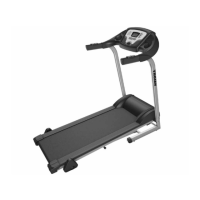
Trojan IGNITE 350
28 pages
To Next Page IconTo Next Page
Loading...
USER MANUAL
IGNITE 350
TREADMILL LEG WORKOUT
CARDIO
Visit facebook.com/trojanhealth
www.trojanhealth.co.za
www.instagram.com/trojanhealth
CAUTION
READ ALL PRECAUTIONS AND
INSTRUCTIONS IN THIS MANUAL
BEFORE USING THIS EQUIPMENT.
KEEP THIS MANUAL FOR
FUTURE REFERENCE.

Other manuals for Trojan IGNITE 350

Questions and Answers:

Trojan IGNITE 350 Specifications

General IconGeneral
Incline0-15%
Running Area140 x 50 cm
DisplayLCD
Heart Rate MonitoringYes
FoldableYes
FoldingYes
Dimensions (L x W x H)180 x 85 x 140 cm
Speed0.8 - 18 km/h
Speed Range0.8 - 18 km/h
Display Size5 Inch
Programs12 preset programs
Motor3.5 HP

Summary

Important Safety Instructions

Health Warnings and Precautions

Consult physician before exercise; stop if unwell; warm up and cool down.

Installation and Setup Requirements

Ensure stable setup on level ground with adequate space and ventilation.

Proper Equipment Usage

Use as intended, by one person; maintain balance during operation.

Access Control and Child Safety

Use in supervised areas; keep children away from equipment and moving parts.

Inspection and Maintenance Checks

Regularly inspect for damage, ensure parts are tight, maintain labels.

Operating Warnings and Clothing

Instruct users on operation, keep moving parts clear, wear suitable clothing.

User Weight Limitation

Maximum user weight capacity for the treadmill is 130 kg.

Pre-Assembly Checklist

Hardware and Tools List

Parts Identification

Exploded View Diagram

Assembly Steps

Attaching Handrail Tubes

Secure handrail tubes to the frame using specified hex screws.

Connecting Uprights

Attach left and right uprights to the frame with hex screws.

Installing Decoration Covers

Fit and secure decorative covers using screws and washers.

Unfolding, Folding, and Transport

Console Functions and Operation

General Console Setup and Safety Key

Turning on, inserting safety key, and understanding initial display.

Navigating Console Modes and Programs

Using MODE for speed, distance, calories, incline and program selection.

Program Settings and Execution (P1-P9)

Detailed steps for setting and running preset workout programs.

Program Preset Value Charts (P4-P9)

Visual guides for incline and speed levels across program segments.

Exercise Instructions and Benefits

Warm-up, Stretching, and Cool-down

Guidance on preparing the body and recovering after exercise.

Target Heart Rate Zone Training

Using heart rate to gauge exercise intensity during workouts.

Muscle Toning and Weight Loss

Strategies for muscle toning and maximizing calorie burn.

Fitness Tips and Techniques

Aerobic Exercise Principles

Understanding the role of aerobic activity for fitness.

Weight Training for Strength

Benefits of weight training for muscle development.

Muscle Group Targeting

Identifying muscles worked by the treadmill.

Conditioning Guidelines

Optimizing Exercise Intensity

Using heart rate to maintain effective workout intensity.

Warm-up and Cool-down Procedures

Workout Structure Guidelines

Outlines workout phases: warm-up, training zone, cool-down.

Exercise Frequency Recommendations

Advice on workout frequency for maintaining fitness.

Recommended Stretching Exercises

Step-by-step guides for various stretches.

Equipment Maintenance

Cleaning, Storage, and Inspection

Procedures for cleaning, storing, and checking treadmill components.

Belt Adjustment and Lubrication Guide

How to adjust the running belt and lubricate the deck.

Lubricant Application and Schedule

Proper lubricant application and recommended service intervals.

Electrical Grounding Safety

Importance and procedure for grounding the treadmill.

Troubleshooting Common Issues

Console Error Code Solutions

Resolving console display errors L5, E1, and E2.

Console Not Responding

Steps to fix a console that is not working.

Hand Pulse Sensor Accuracy

Tips for improving hand pulse sensor readings.

LCD Dim Display Fix

Troubleshooting a dim or unreadable LCD screen.

Product Warranty Information

Warranty Exclusions and Limitations

Details damages not covered by the 2-year warranty.

Claiming Warranty Service

Procedures for warranty claims, including proof of purchase.

Repairs Procedure

Cost of Repairs (Under and Out of Warranty)

Explains costs for warranty and non-warranty repairs.

Related product manuals