32
8. Skin
•
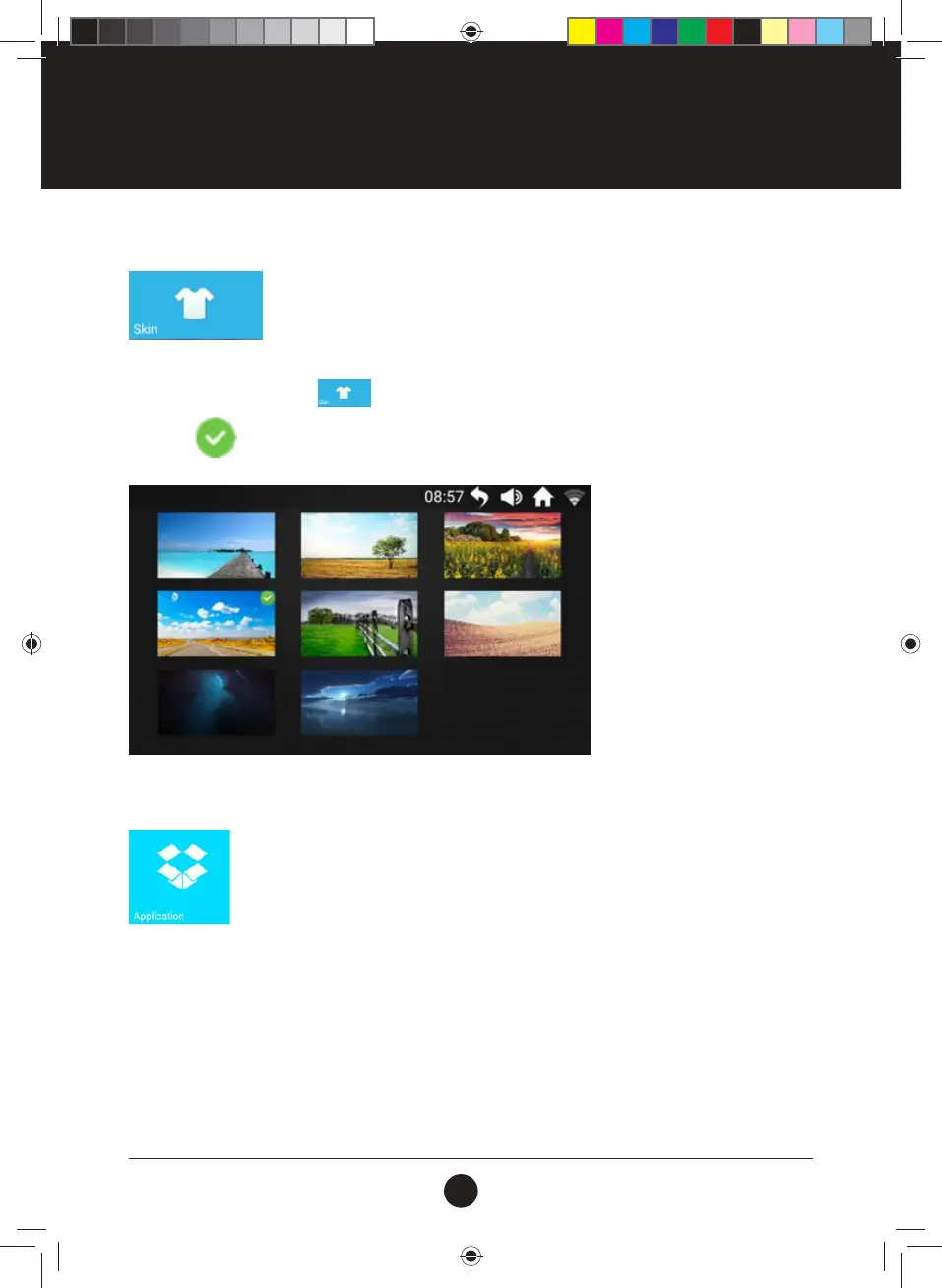
Select the Skin icon to change the background.
8.1 Skin Setting
At the Main Interface, tap the
icon to enter the Skin setting interface: tap to select and
mark with
after setting, Tap “RETURN” will back to Main Interface:
9. Applications
Built-in 3rd-party music and video apps, Internet surng, social, news etc.
Functional Modules:
Need WIFI network connection to use Internet Functional Modules;
•
Support to play common audio and video format les such as MP3, MP4, MOV and APE
•
Not recommend to browse the webpage or watch the video while running,
•
Listening to relaxing music during the run can reduce the boring feeling during exercise.
OPERATION INSTRUCTIONS
#20M03T020 ELITE 2000 Treadmill UM.indd 32 2020/04/07 10:05 AM













 To Next Page