EasyManua.ls Logo

Trojan PIONEER 300 - User Manual

Default Icon
20 pages
Print Icon
To Next Page IconTo Next Page
Loading...
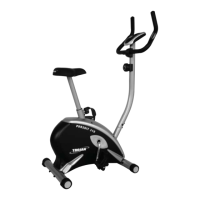
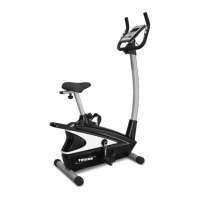
PIONEER 300
STATIONARY CYCLE
STATIONARY CYCLE CARE INSTRUCTIONS
AND ASSEMBLY MANUAL
TROJAN
MY SPACE MY TIME
®
#
1
HOME
FITNESS
SO
UTH A
FRICA’S
SINCE
1981
CAUTION
READ ALL PRECAUTIONS AND
INSTRUCTIONS IN THIS MANUAL
BEFORE USING THIS EQUIPMENT
KEEP THIS MANUAL FOR
FUTURE REFERENCE
1 YEAR
warranty
CALL
0861 876526
0861 TROJAN
1146
4
Question and Answer IconNeed help?

Do you have a question about the Trojan PIONEER 300 and is the answer not in the manual?

Summary

Safety Instructions

Assembly Steps

Step 1: Attach Front Foot

Fasten the front foot to the base frame using specified bolts, washers, nuts, and caps.

Step 2: Attach Rear Foot

Fasten the rear foot to the base frame using specified bolts, washers, nuts, and caps.

Step 3: Connect Computer Wire

Connect the computer wire to the sensor wire, ensuring cables are not damaged.

Step 4: Attach Handlebar Post

Insert and attach the handlebar post to the base frame using specified screws and washers.

Step 5: Attach Saddle and Collar

Attach the saddle to the saddle post and place the plastic collar onto the saddle post.

Step 6: Insert and Secure Saddle Post

Insert the saddle post into the base and secure it using the seat knob.

Step 7: Attach Computer and Wire

Attach the computer wire to the computer and mount the computer to the handlebar post.

Step 8: Attach Handlebar and Pulse Wire

Attach the handlebar and connect the pulse wire to the computer.

Step 9: Install Pedals

Insert and tighten the right and left pedals into the crank assembly.

Computer Functions

Conditioning Guidelines

Warm-up and Cool-down

Parts List

Exploded Drawing

Trojan 1 Year Limited Warranty

Trojan Repairs Procedure

Procedure for Fault Rectification

Steps to follow when experiencing faults, including calling the hotline and service team involvement.

Cost of Repairs: Under Warranty

Details on free repairs for items under warranty and costs for non-covered repairs.

Cost of Repairs: Out of Warranty

Information on costs for repairs after the warranty period has expired.

Summary

Safety Instructions

Assembly Steps

Step 1: Attach Front Foot

Fasten the front foot to the base frame using specified bolts, washers, nuts, and caps.

Step 2: Attach Rear Foot

Fasten the rear foot to the base frame using specified bolts, washers, nuts, and caps.

Step 3: Connect Computer Wire

Connect the computer wire to the sensor wire, ensuring cables are not damaged.

Step 4: Attach Handlebar Post

Insert and attach the handlebar post to the base frame using specified screws and washers.

Step 5: Attach Saddle and Collar

Attach the saddle to the saddle post and place the plastic collar onto the saddle post.

Step 6: Insert and Secure Saddle Post

Insert the saddle post into the base and secure it using the seat knob.

Step 7: Attach Computer and Wire

Attach the computer wire to the computer and mount the computer to the handlebar post.

Step 8: Attach Handlebar and Pulse Wire

Attach the handlebar and connect the pulse wire to the computer.

Step 9: Install Pedals

Insert and tighten the right and left pedals into the crank assembly.

Computer Functions

Conditioning Guidelines

Warm-up and Cool-down

Parts List

Exploded Drawing

Trojan 1 Year Limited Warranty

Trojan Repairs Procedure

Procedure for Fault Rectification

Steps to follow when experiencing faults, including calling the hotline and service team involvement.

Cost of Repairs: Under Warranty

Details on free repairs for items under warranty and costs for non-covered repairs.

Cost of Repairs: Out of Warranty

Information on costs for repairs after the warranty period has expired.

Trojan PIONEER 300 Specifications

General IconGeneral
BrandTrojan
ModelPIONEER 300
CategoryExercise Bike
LanguageEnglish

Related product manuals