Need help?
Do you have a question about the Trojan PRO Series and is the answer not in the manual?
Consult physician before starting exercise.
Proper setup for stability, ventilation, and space.
Correct use of equipment to avoid injury.
Supervised area and keeping children away.
Check for damage, wear, and tighten parts before use.
Instruct users, keep children away from moving parts.
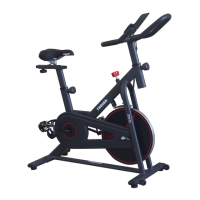
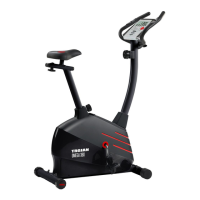
Maximum user weight of 150 kg for the spinning bike.
Attach front and rear stabilizers to the main frame assembly.
Attach the tablet holder to the handlebar assembly.
Connect console wires, attach handlebar assembly, and pedals.
Fix the seat assembly to the seat post using the seat knob and bolt.
Plug in the power adapter and allow for automatic incline calibration.
Adjust seat and handlebar height and vertical position.
Adjust levelling feet to stabilize the bike on uneven surfaces.
Instructions on how to use the emergency brake button to stop.
Overview of console buttons, display windows, and their functions.
How to start the bike using the quick start mode.
Setting time, distance, and calories manually.
Selecting and setting up pre-programmed workouts.
Explanation of what each console display window shows.
Detailed table and explanation of automatic program segments.
Shows the initial, set, and display ranges for console metrics.
Procedure to calibrate the bike's incline system.
Steps to download and install the FitShow application.
User registration, login, and syncing the app with equipment.
Choosing training modes within the FitShow app.
Controlling equipment and viewing training data via the app.
Creating personal daily training plans for fitness goals.
Tracking outdoor activities using GPS.
Accessing sports articles, diet tips, and course recommendations.
Personal fitness data record for viewing training history.
Explanation of sustained activity that improves cardiovascular health.
Importance of weight training for toning, building, and strengthening muscles.
Visual guide showing major muscle groups developed during workouts.
Maintaining heart rate in target zone for effective aerobic exercise.
Basic stretches with instructions for flexibility and injury prevention.
How to clean the spinning bike using mild detergent and a soft cloth.
Guidelines for storing the bike in a clean, dry environment.
Conditions not covered by the product warranty.
Requirements for submitting a warranty claim.
Details on repair costs for items under and out of warranty.
 General
| Flywheel Weight | 7 kg |
|---|---|
| Display | LCD |
| Resistance Type | Magnetic |
| Weight Capacity | 120 kg |
| Display Metrics | Time, speed, distance, calories, pulse, RPM |
| Transport Wheels | Yes |
| Resistance Levels | 16 |
| Max User Weight | 120 kg |
| Programs | 12 pre-set programs |
| Heart Rate Monitoring | Hand pulse sensors |
| Adjustable Seat | Yes |
| Handlebar Adjustment | Yes |

 To Next Page