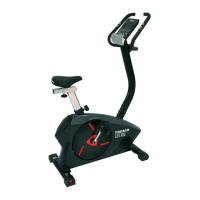
Need help?
Do you have a question about the Trojan PACE 350 and is the answer not in the manual?
Important safety instructions to reduce the risk of injury.
Attach front and rear stabilizers to the main frame.
Connect computer cable and attach front post to main frame.
Assemble seat to seat post and attach to main frame.
Attach handlebar to upright tube using washers and knob.
Connect computer cables and attach the computer console.
Insert left and right pedals into the crank assembly.
Details functions like Quick Start, Scan, Speed, Time, Distance, RPM, Calories, Pulse Recovery.
Explains the grading system for assessing heart rate recovery.
Describes the function of each key on the console.
How to select and use manual and preset workout programs.
Instructions for connecting power and initial computer operation.
How to set the clock and replace batteries.
Defines aerobic exercise and its benefits for cardiovascular health.
Explains the role of weight training in fitness and muscle building.
Identifies lower body muscles worked during cycling.
Guidance on starting exercise programs based on fitness level.
How to determine and maintain target heart rate zones for effective workouts.
Method for measuring heart rate during exercise.
Recommended structure for exercise sessions including warm-up and cool-down.
Advice on how often to perform workouts for optimal conditioning.
Illustrated basic stretches to improve flexibility and prevent injury.
Steps to resolve issues when the computer console is not functioning.
Explanations and fixes for common console error codes (E1, E2, E3).
Troubleshooting for dim display or 'ERR' messages on the console.
Items and conditions specifically excluded from warranty coverage.
Procedures for making warranty claims within specified periods.
Requirements for supporting warranty claims with proof of purchase.
Information on how the supplier handles product servicing and repairs.
Steps to report faults and book a service team call out.
Details free repairs for items covered under the warranty.
Explains consumer responsibility for costs of out-of-warranty repairs.
 General
| Brand | Trojan |
|---|---|
| Model | PACE 350 |
| Category | Exercise Bike |
| Language | English |

 To Next Page