11
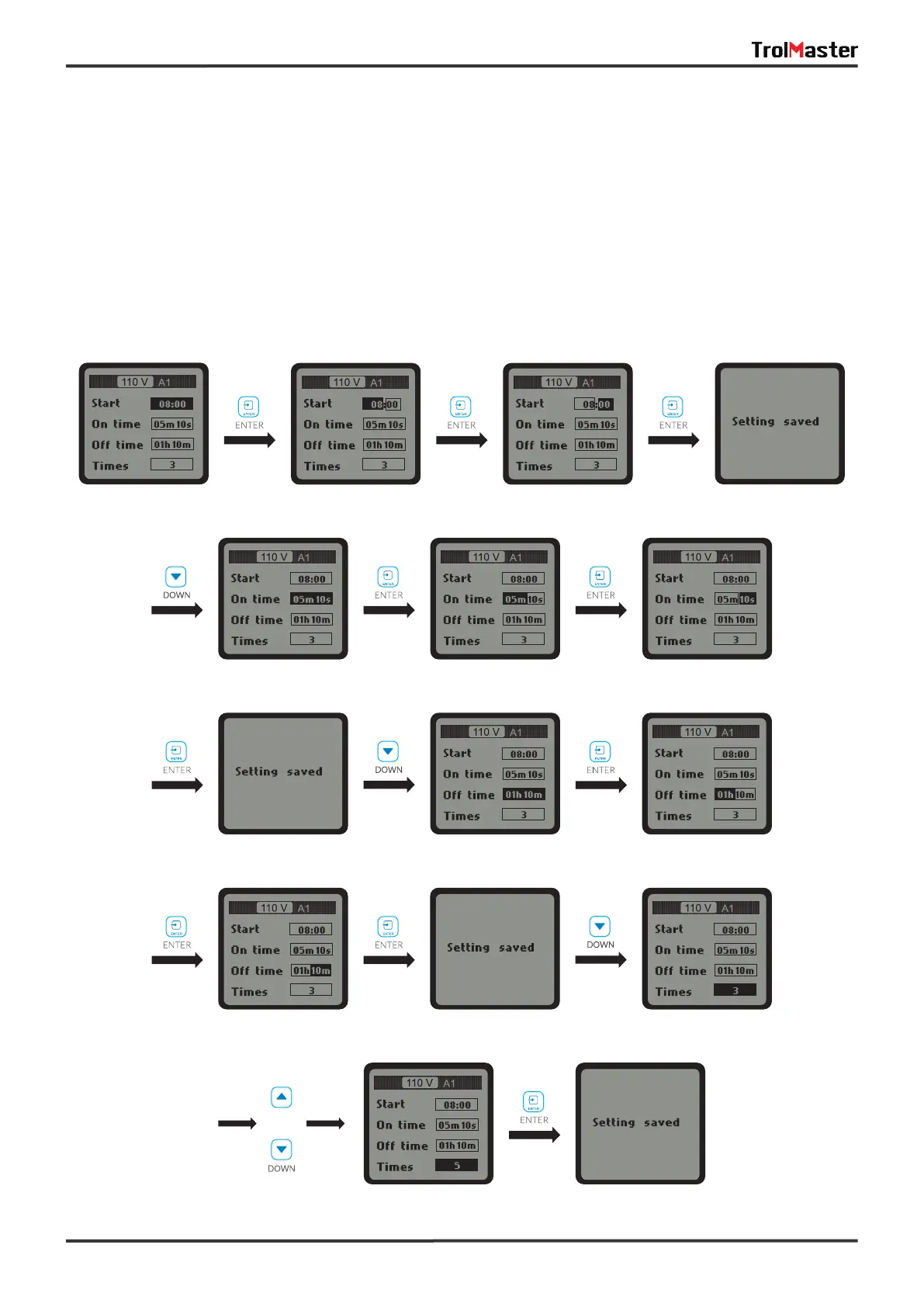
Once the “By recycle" setting is selected, user can press “UP" or “DOWN" button to select “Start". “On time"
& “Times" for change. Press ENTER button to activate the setting. For example, when “Start” is selected,
press ENTER button and the HOUR will be highlighted and blinking, user can press UP or DOWN button to
change the hour. Press ENTER button and the MlNUTE will be highlighted and blinking, press UP or DOWN
button to change the minute. Finally, press ENTER button to confirm and save the changes and the LCD
screen will be display “Setting saved".
Similarly, user can change the “On time", “Off time" and “Times" accordingly.
b. By recycle:
or



 To Next Page