19
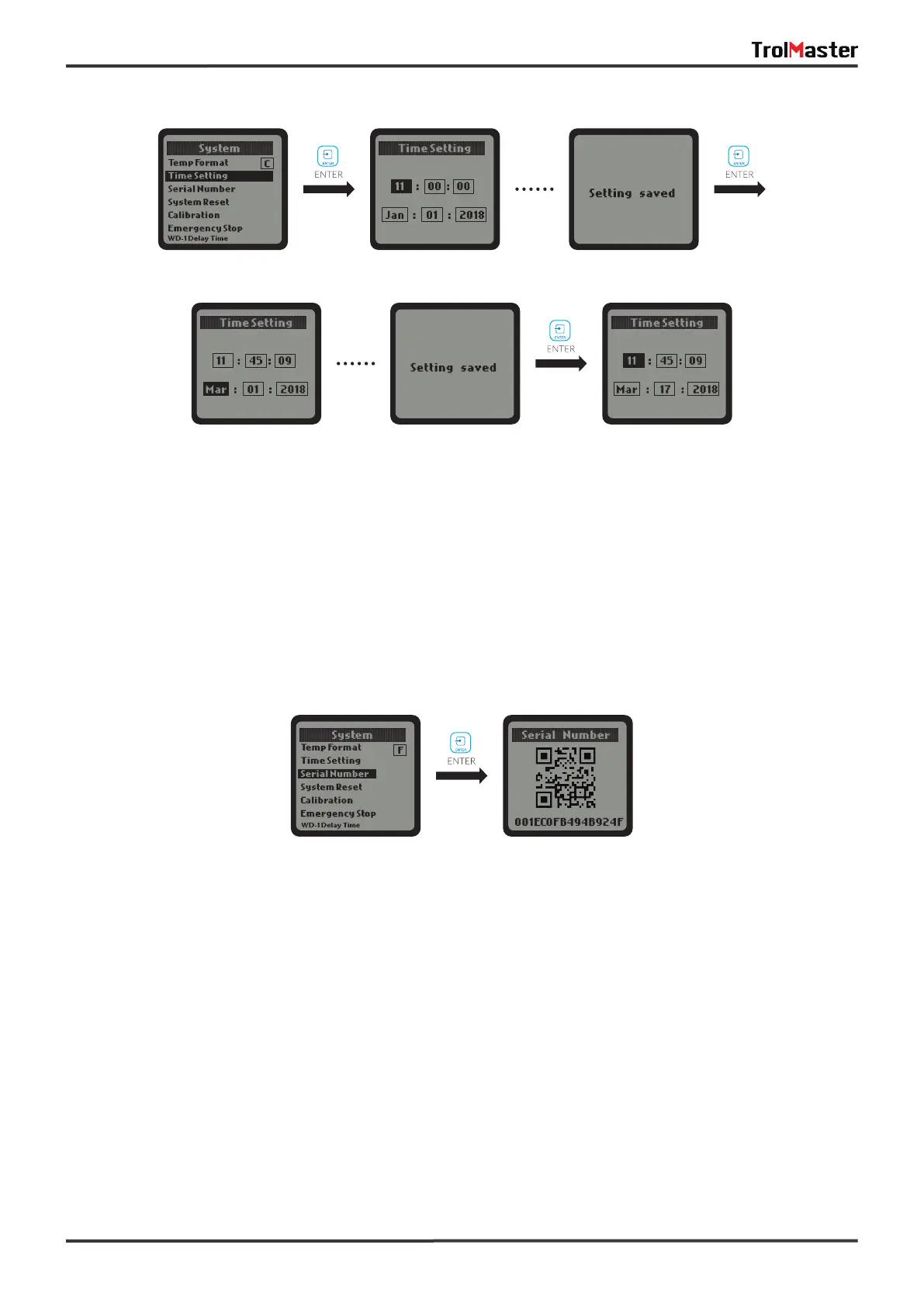
When the Serial Number column is selected, press ENTER button and the LCD display will show the QR code
and serial number.
c. Serial Number:
When the System Reset column is selected, press ENTER button and the LCD display will show Device
Reset, Factory Reset, Firmware Updateand lot FW Update. Press UP or DOWN button and ENTER to select
any of them to change settings.
d. System Reset:



 To Next Page