07
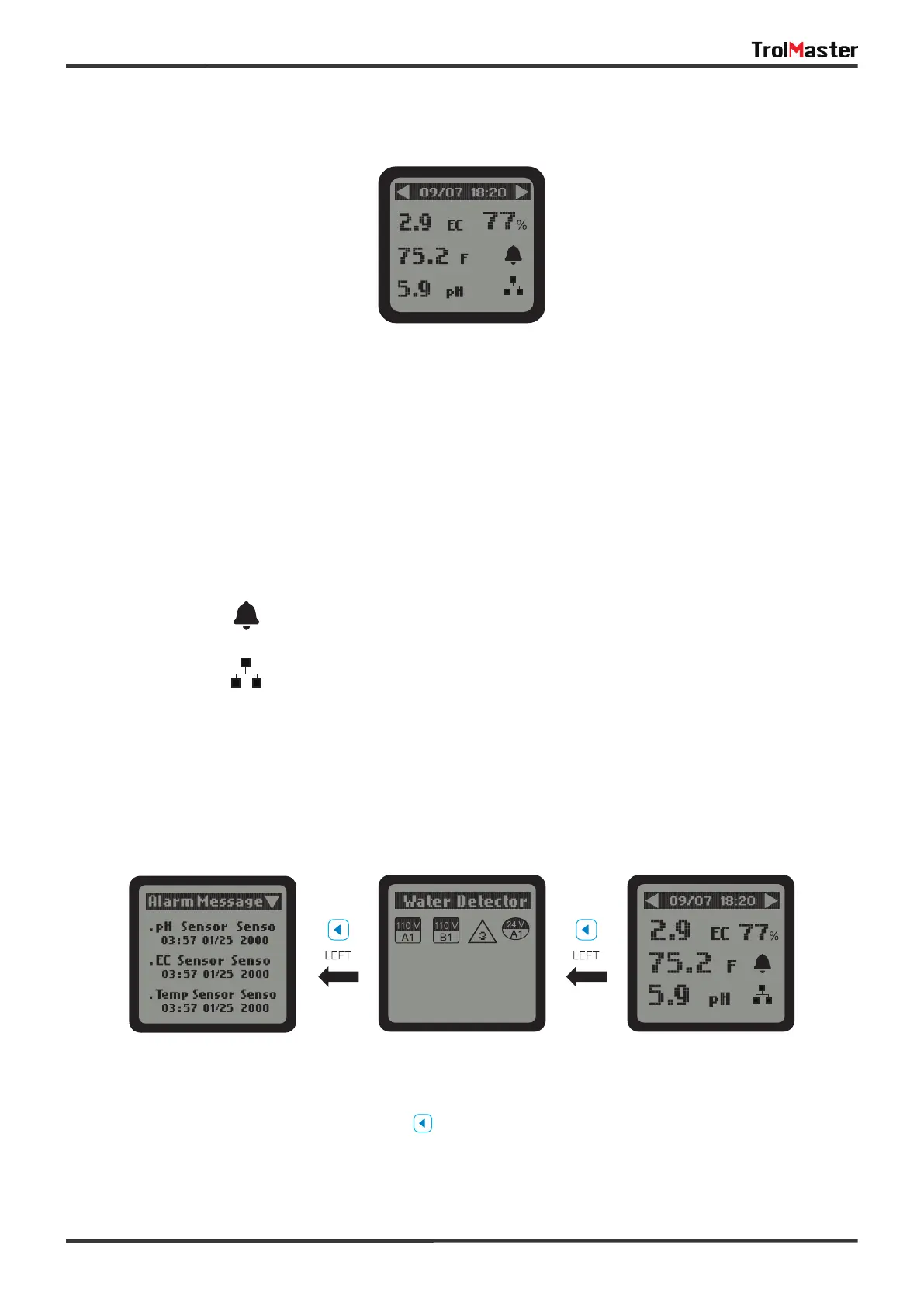
The main menu displays three elements:
EC Value e.g.: 2.9
pH Value e.g.: 5.9
Water Temperature Value (°F) e.g.: 75.2°F
Water Content Value e.g.:77%
The top title bar indicates current date & time:
Month/Date e.g.:09/07
Hour/Minute e.g.:18:20
lcon Indication:
Alarm Activated
Internet Connected
NOTE: Download the TrolMaster App from App Store or Google Play.
On the Main Menu page, press LEFT button to get access to Water Detector page. lt shows output(s)
that has (have) been associated with the connected Water Detector. Press LEFT button again, the LCD
screen will show the Alarm Message page and records of all alarm messages.
MAIN MENU
Alarm Message Page Water Detector Page Main Menu Page
1).



 To Next Page