Night Mode
Alarm Activated
Internect Connected
No Network Connection (no icon)
NOTE : Download the TrolMaster app from App Store or Google Play
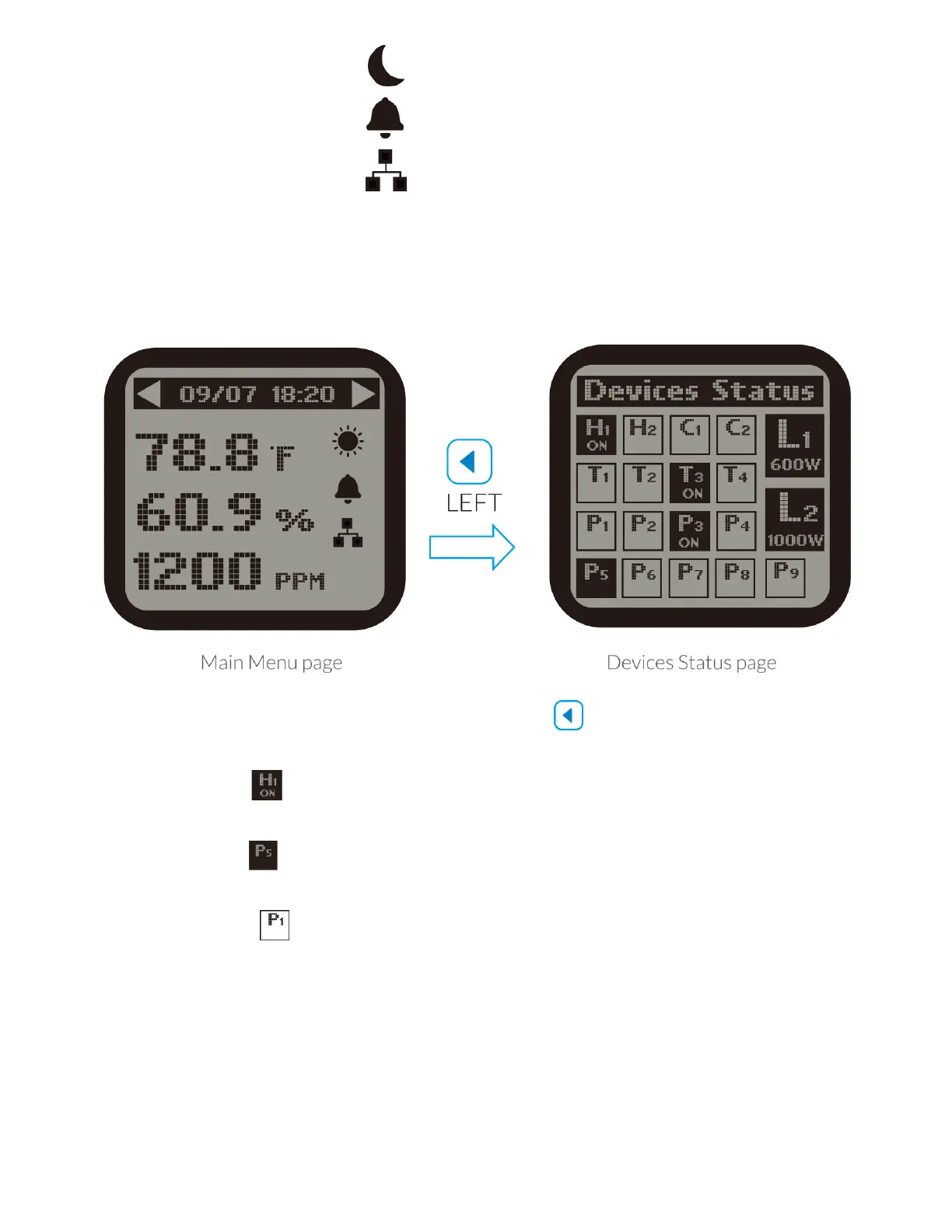
2 ). On the Main Menu page, press LEFT button to get access to Devices
Status page. The screen will show devices in 3 states .
a ). State One : Highlighted and with "ON" indicates the device is connected
and under working condition (activated).
b ). State Two : Highlighted and without "ON" indicates the device is
connected but not under working condition (standby)
c ). StateThree : Non-highlighted indicates no device station connected to
this address.



 To Next Page