TRONFY TP60+ PROJECTOR
9
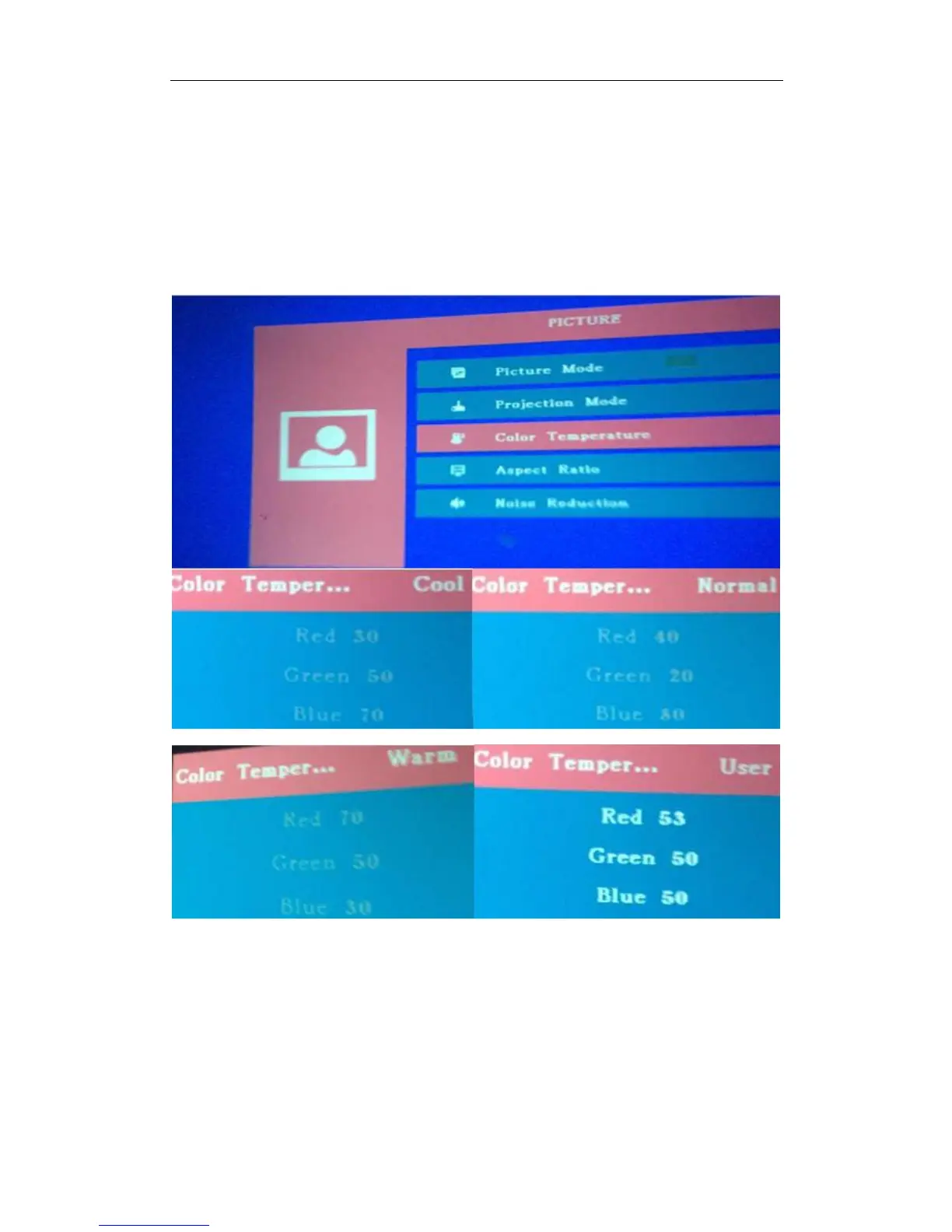
How to set up the projector's color:
Please try the following Step:
Turn on Projector, Click MENU –Color Temperature--- Click OK. There are four ways for you to
choose, you can click the left or right (Use remote) to choose.
At the end of the User Mode, You can adjust the color according as you like. You can add or
decrease the Number of the Red/Green/Blue to adjust the color.
The projector would have to rotate/Horizontal flip OFF as a whole
180 degrees
Please try the following Step:
Turn on Projector, Click MENU--- Click Projection Mode---Click OK
There are five ways for you to choose; you can click OK one more to choose.


 To Next Page