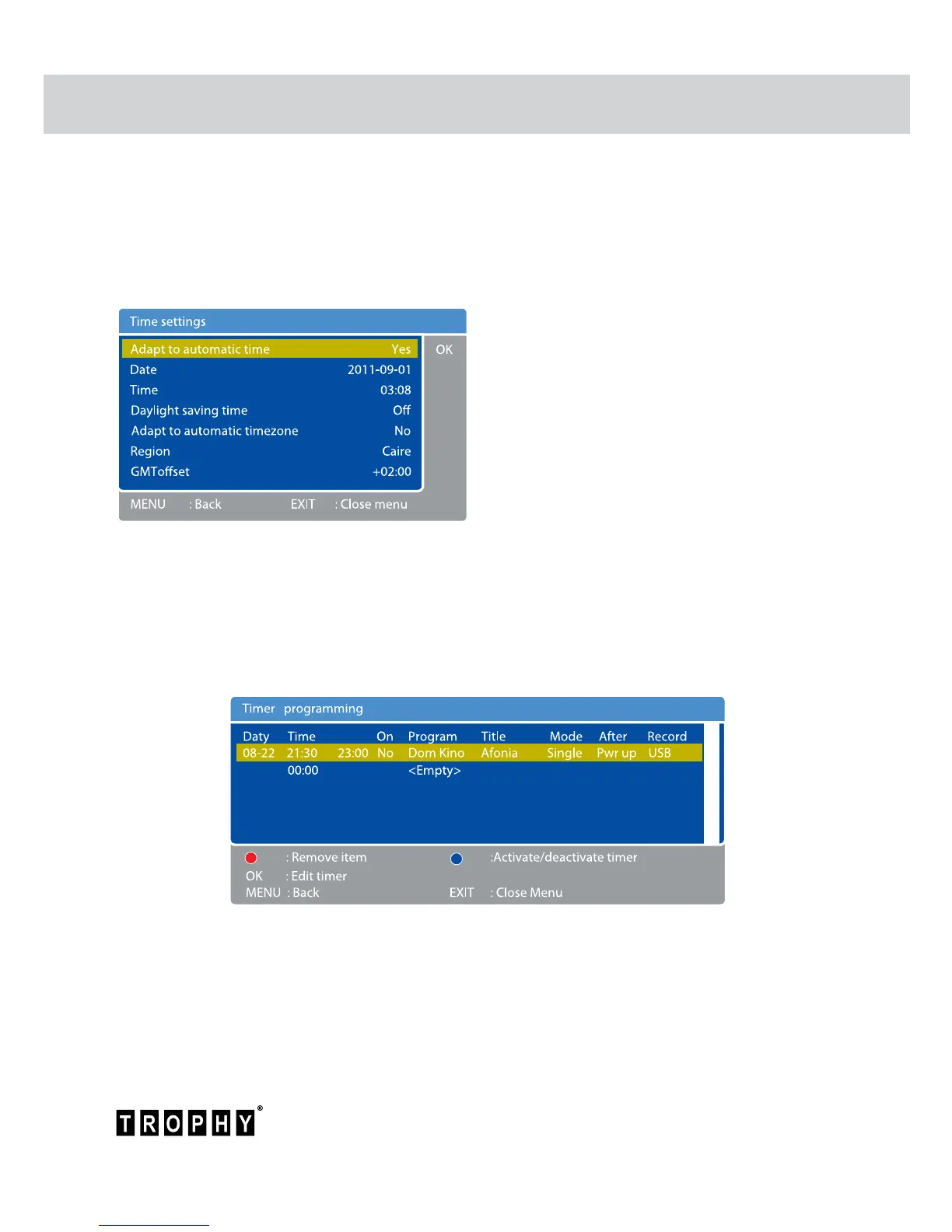
Timer Programming menu
There are three recording modes: Timer mode, Quick Recording mode (in detail it will be
discussed in section “Quick Recording mode” of this User’s Guide) and Timeshift mode (in
detail it will be discussed in section “Timeshift mode” of this User’s Guide). In this chapter we
will discuss Timer mode recording. You can program the timer manually or using the EPG
information.
To program the timer manually, do the following:
Press MENU to enter the MAIN MENU.
Select “Timer Programming” row and click
OK button.
The screen will display the “Time settings”
menu.
Due to the fact that all broadcasters transmit
data of the current time, it is better to enable
the automatic adjustment of the time in the
menu.
In the “Time setting” menu you can also
set the current date and GMT time, enable
Dayling Saving Time (Summer/Winter Time),
set the time zone.
Press MENU button to enter the “Timer programming” menu.
In this menu you can set the date and time of video-clip recording on a particular television
channel from the channel list. You can edit this information. To do this you must press OK
button, then the “Edit Timer” menu will appear.



 To Next Page