Timer Programming using EPG information
Quick recording mode
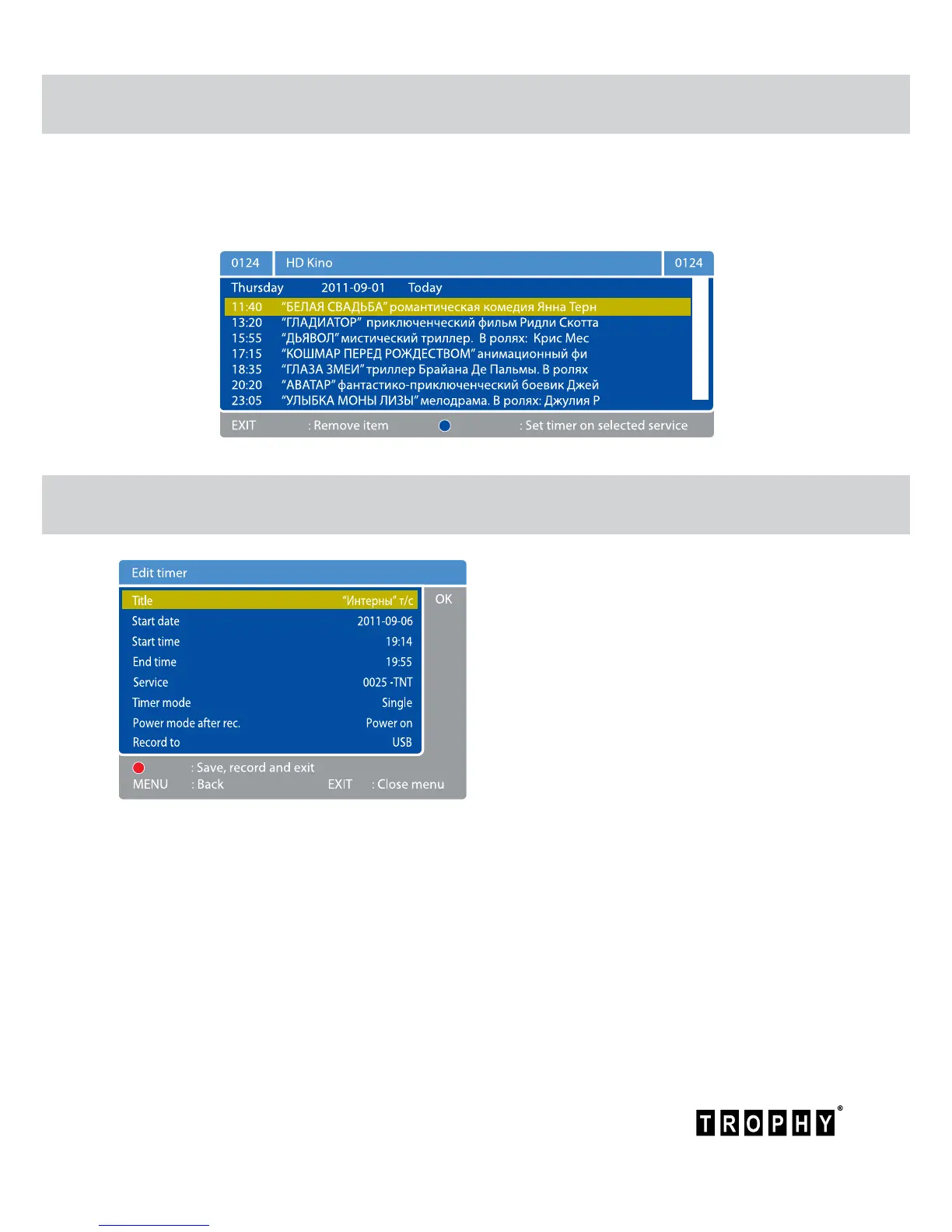
This recording mode is the most convenient and fast. Press EPG button twice. On the screen
you will see the schedule for the day. Click
buttons to select the next day. Click
buttons
to select the video you want to record. Then click BLUE button for timer programming. Now,
this information will be saved in the “Timer Programming” menu.
If you want to record the current program,
you can press RECORD (Red) button. On the
screen you will see the EDIT TIMER menu.
If you do not want to make additional
settings, press the RED button. Recording
will start after a few seconds. Recording will
stop automatically at the time specied in
“End time” menu bar. The recording can be
stopped at any time by pressing the STOP
button.



 To Next Page