EN 19
air cooler PAE 49 / PAE 50
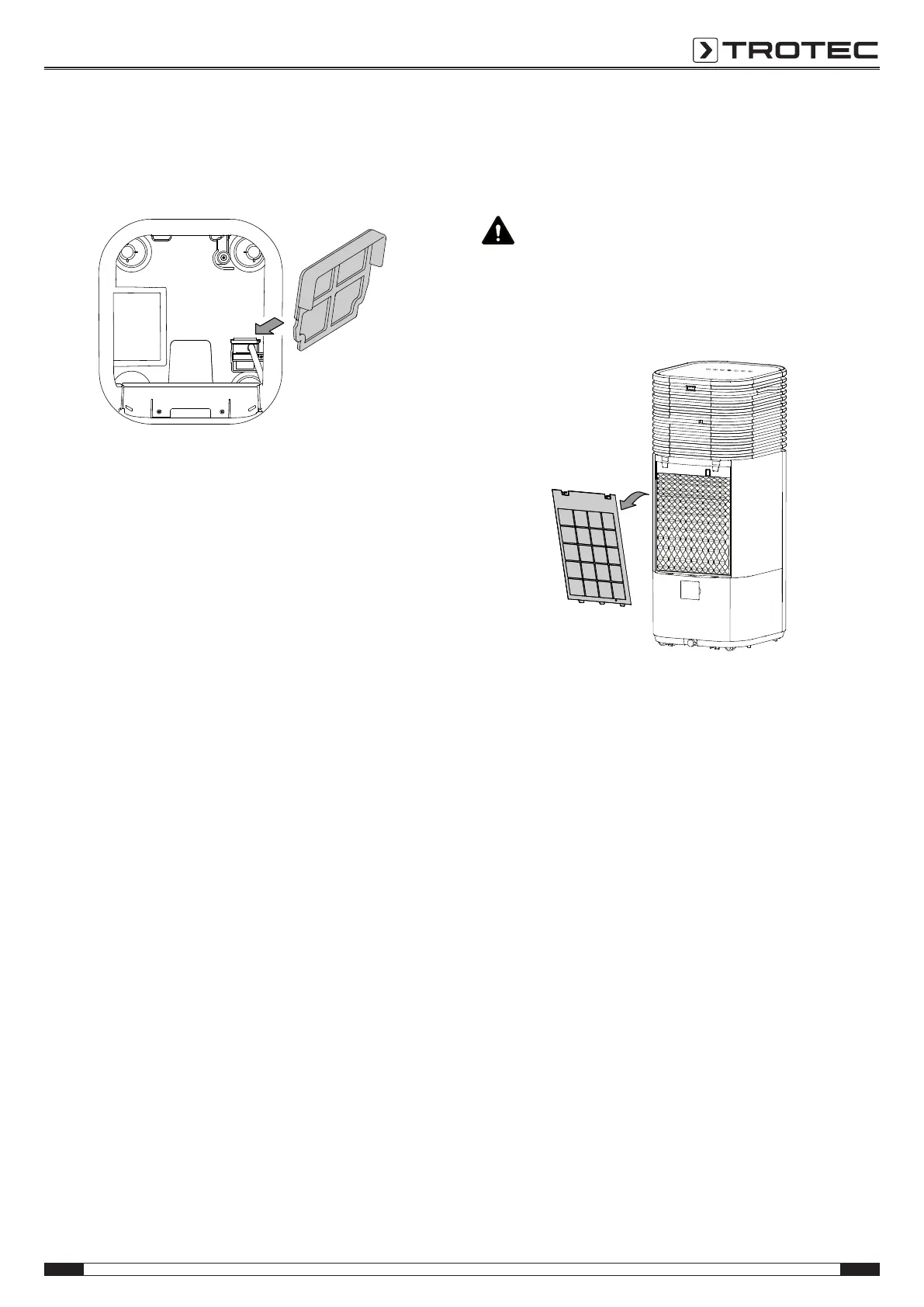
4. Remove the protective filter of the submerged pump from
the device. Pay attention not to damage the protective filter
with your fingers. For this purpose, only touch the plastic
sides of the filter.
5. Clean the protective filter using a slightly damp, soft, lint-
free cloth. If the filter is heavily contaminated, clean it with
warm water mixed with a neutral cleaning agent.
6. Thoroughly rinse the water tank with household vinegar
(descaling agent).
7. Then rinse the water tank with water.
8. Dry the inside of the water tank with a lint-free cloth.
9. Reinsert the protective filter into the device.
10. Fill the water tank with fresh drinking water if you want to
continue operation (see chapter Adding water).
Cleaning the air filter
The air filter has to be cleaned as soon as it is dirty. This is
brought to light e.g. by a reduced capacity (see chapter Errors
and faults).
Warning
Ensure that the air filter is not worn or damaged. The
corners and edges of the air filter must not be
deformed or rounded. Before reinserting the air filter,
make sure that it is undamaged and dry!
1. Remove the air filter from the device.
2. Clean the filter using a slightly damp, soft, lint-free cloth. If
the filter is heavily contaminated, clean it with warm water
mixed with a neutral cleaning agent.
3. Allow the filter to dry completely. Do not insert a wet filter
into the device!
4. Reinsert the air filter into the device.
Filter reset
After an operating time of 200hours, the Filter reset LED(22)
will flash red.
After cleaning, press the Humidity button(28) for 2s to reset the
status.


 To Next Page