EN 4
Operating manual – dehumidifier TTK 30 E
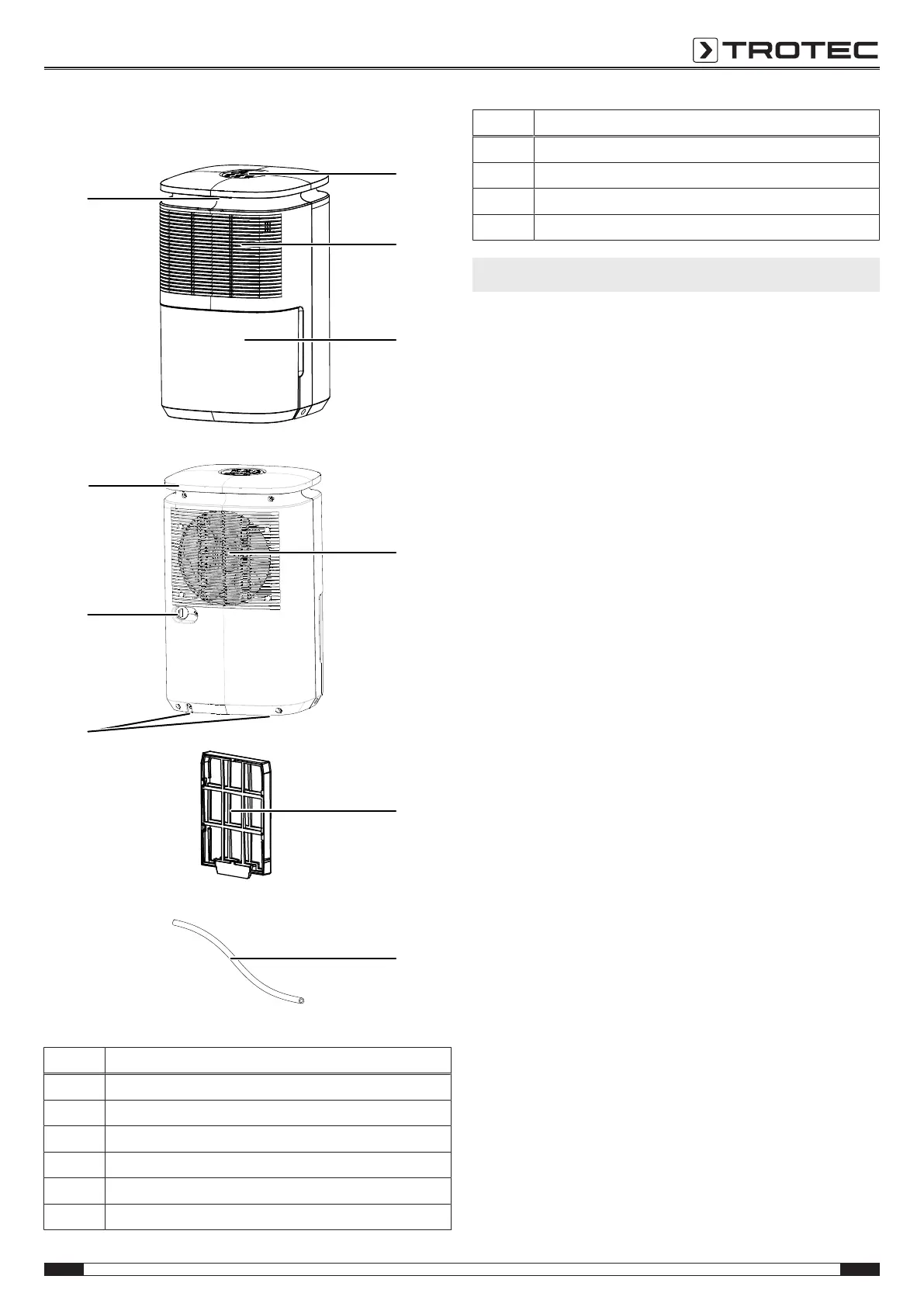
Device depiction
No. Designation
1 Control panel
2 Air inlet with air filter
3 Condensation tank
4 Air outlet
5 Air filter
6 Condensation drain hose
No. Designation
7 Feet
8 Condensation drain hose connection
9 Transport handle / Power cable winder
10 Colour LED for current room humidity
Transport and storage
Note
If you store or transport the device improperly, the
device may be damaged.
Note the information regarding transport and storage of
the device.
Transport
Before transporting the device, observe the following:
• Switch the device off.
• Hold onto the mains plug while pulling the power cable out
of the mains socket.
• Drain the remaining condensate from the device and the
condensation drain hose (see chapter Maintenance).
• Do not use the power cable to drag the device.
After transporting the device, observe the following:
• Set up the device in an upright position after transport.
• Leave the device to rest for 12to24hours, so the
refrigerant can accumulate within the compressor. Wait
12to24hours before switching the device back on! Acting
contrary might lead to compressor damage and a
malfunctioning device. If so, any warranty claims will be
voided.
Storage
Before storing the device, observe the following:
• Drain the remaining condensate from the device and the
condensation drain hose (see chapter Maintenance).
• Empty and clean the condensation tank prior to storage.
• Drain any possibly remaining condensate.
When the device is not being used, observe the following
storage conditions:
• dry and protected from frost and heat
• in an upright position where it is protected from dust and
direct sunlight
• with a cover to protect it from invasive dust if necessary
• Place no further devices or objects on top of the device to
prevent it from being damaged.



 To Next Page