EasyManua.ls Logo

TRU-BOLT M1740024 - User Manual

TRU-BOLT M1740024
20 pages
Print Icon
To Next Page IconTo Next Page
Loading...
M1740024 1740026 1740028 1740030 V2
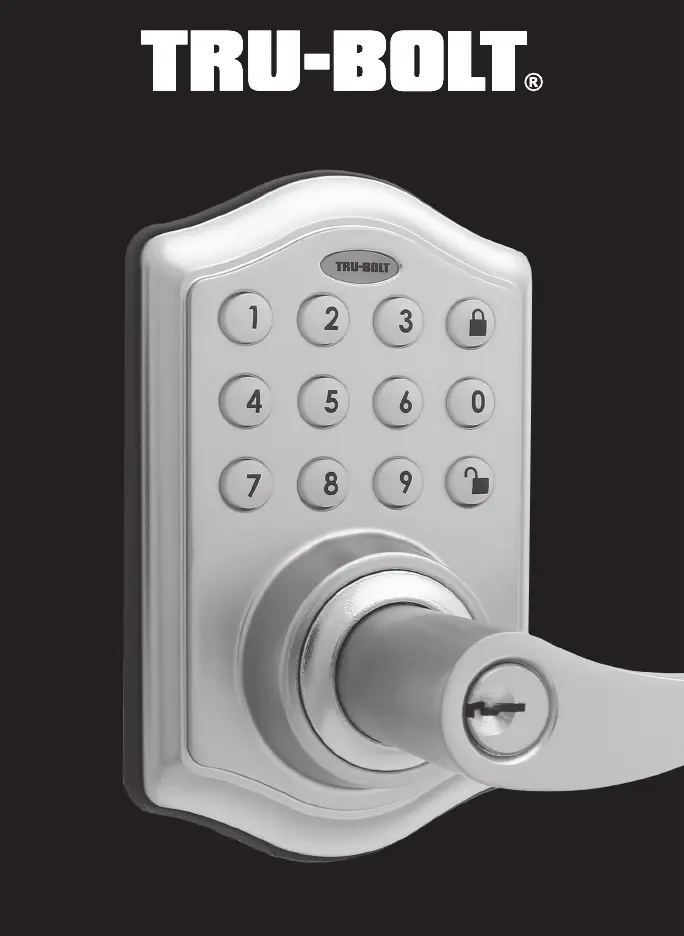
Classic Electronic Lever

Questions and Answers

Summary

INSTALLATION INSTRUCTIONS

PACKAGE CONTENTS

Lists all components included in the lock's packaging for installation.

TOOLS REQUIRED

Specifies the necessary tools for installing the lock on different door types.

PREPARE DOOR AND JAMB

Instructions for preparing the door and jamb, including drilling and fitting the latch.

ADJUSTING LATCH

Details on how to adjust the latch backset for proper door fitment.

INSTALLING LATCH

Step-by-step guide for inserting and securing the latch into the door.

INSTALLING EXTERIOR ASSEMBLY

Instructions for mounting the exterior part of the electronic lock onto the door.

INSTALLING INTERIOR ASSEMBLY

Guide for attaching the interior mechanism and connecting the control wire.

REVERSIBLE LEVER HANDLES

Procedure for removing, reversing, and replacing the lever handles for ambidextrous use.

INSTALLING INTERIOR ASSEMBLY (CONT.)

Continues installation steps, including battery insertion and initial lock testing.

OPERATION INSTRUCTIONS

EXTERIOR ASSEMBLY OVERVIEW

Identifies key components and indicators on the exterior keypad and lock assembly.

LOCKING AND UNLOCKING

Explains how to lock and unlock the electronic door lock using the keypad.

CHANGING PROGRAMMING CODE

Steps to modify the master programming code for security and customization.

ADDING USER CODES

Instructions for creating and assigning unique user codes with specific IDs.

DELETING USER CODES

Procedures for removing existing user codes or clearing all user codes.

AUTOMATIC LOCK FUNCTION

How to set or cancel the auto-lock feature and its time delay settings.

TEMPORARILY DISABLE AUTO-LOCK

Method to temporarily disable the automatic locking mechanism.

VACATION MODE

How to enable and disable vacation mode for low-power consumption.

SECURE LOCK-OUT PERIOD

Information on the lock-out period after multiple incorrect code entries.

SOUND ON AND OFF

Instructions for enabling or disabling audible feedback for lock operations.

RESTORE FACTORY SETTINGS

Process for resetting the lock to its original factory default configuration.

LOW BATTERY WARNING

Explains the indicators for low battery status and the need for replacement.

CONSUMER FRIENDLY MESSAGE GUIDE

Programming Record

A template for users to record their programming code and user codes.

INSTALLATION TROUBLE SHOOTING

CONSUMER ASSISTANCE

WARRANTY INFORMATION

Limited Lifetime Mechanical and Finish Warranty

Details the terms and conditions of the product's mechanical and finish warranty.

TRU-BOLT M1740024 Specifications

General IconGeneral
BrandTRU-BOLT
ModelM1740024
CategoryDoor locks
LanguageEnglish

Related product manuals