MODEL SERIES
TEC_TM_181 | REV. A | EN 03/23/2023 Page 27 of 32
truemfg.com
Maintenance & Servicing (cont.)
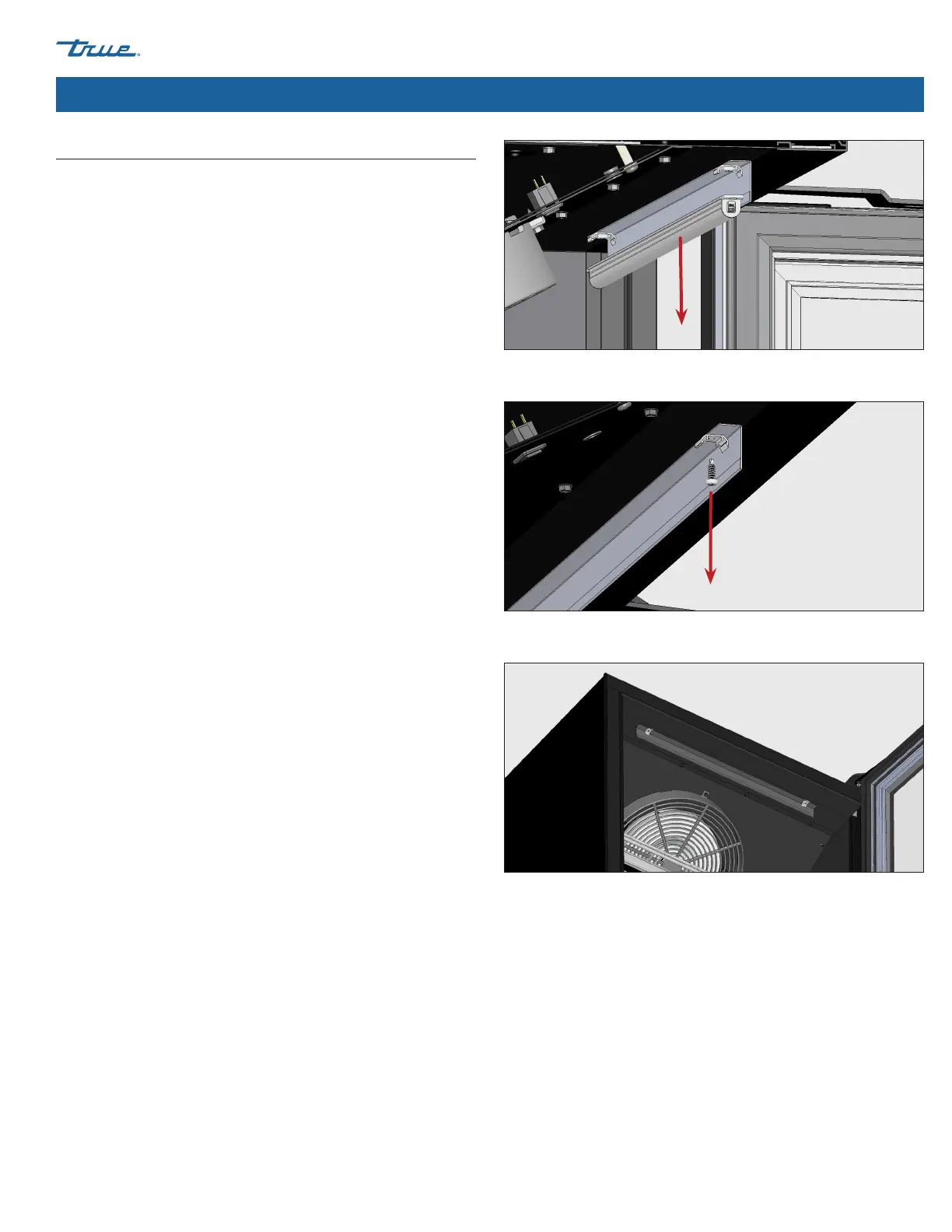
Fig. 1. Unsnap the LED module from its holders.
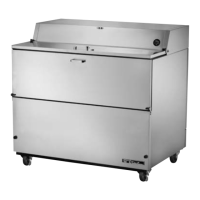
Fig. 2. Unscrew the LED holders. Other LED holder not shown.
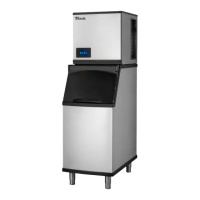
Fig. 3. Installed reversed sign deflector and LED holders.
Reversing the Sign Deflector
The sign deflector reflects the light from the LED module. Factory-
install reflects the light back onto the product. For applications
with door decal, reverse the sign deflector to shine light through
the decal.
Procedure
1. Unplug the appliance or turn off the power supply.
2. Remove the LED module from the LED holders. See fig. 1.
3. Remove the LED holders. See fig. 2.
4. Turn the sign deflector around. See fig. 3.
5. Reinstall the LED holders. See fig. 3.
6. Reinstall the LED module.
7. Restore power and verify operation.



 To Next Page