............ www.truemfg.com ............
True Food Service Equipment, Inc.
15
15
LOCKING & UNLOCKING LAE CONTROLLER
1
2
5
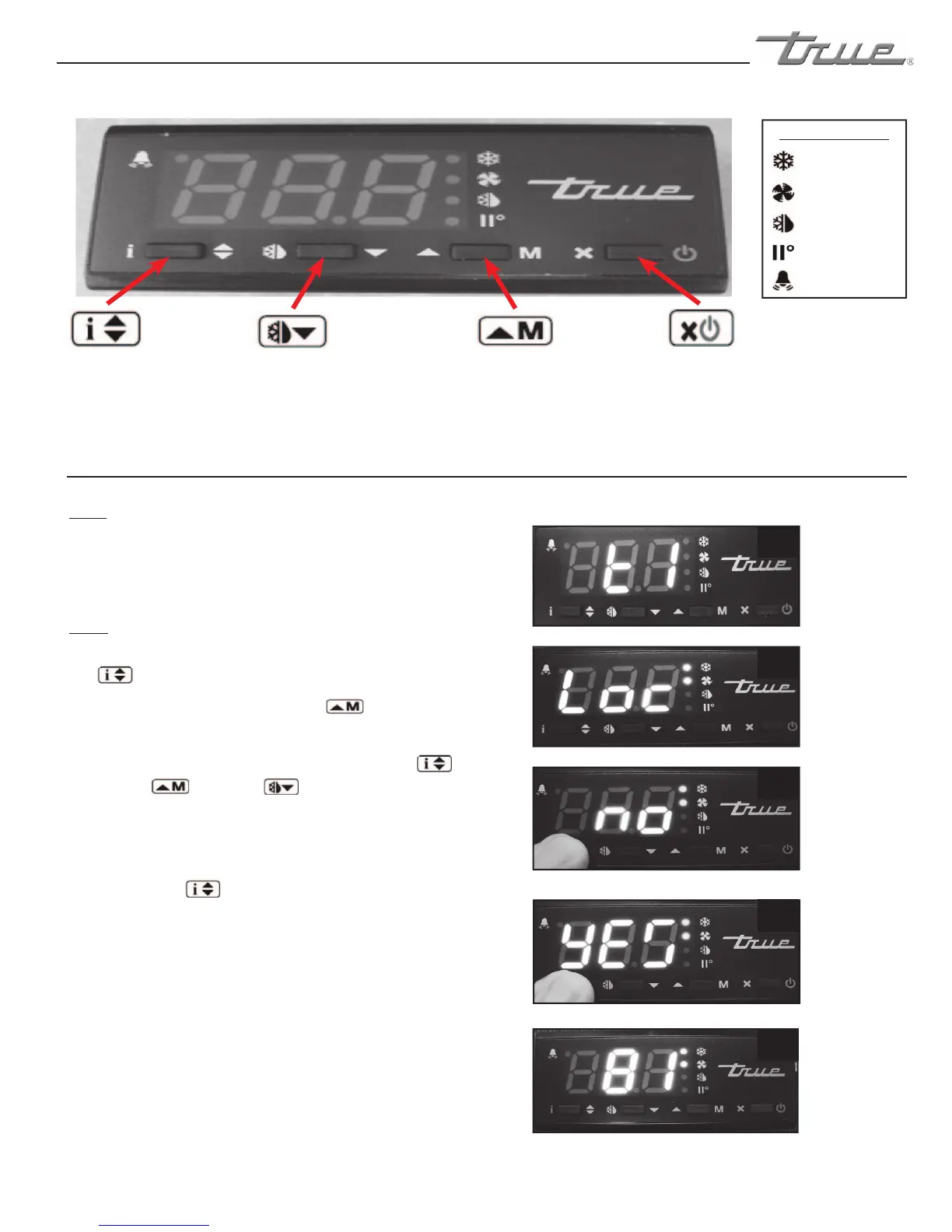
LAE Electronic Control
Info/Set Point
Button
Manual Defrost/
Down Button
Manual Activation/
Up Button
Stand-By
Button
3
Image 3:
If “no” appears
on screen,
the controller
is unlocked.
4
Image 4:
If “yes” appears
on screen,
the controller
is locked.
Compressor
Running
Activation of 2nd
Parameter Set - NA
Alarm - NA
Cabinet in Defrost
Evaporator Fan
Running
LAE Control Icons
WHY:
LOCKING OF CONTROL IS NECESSARY TO PREVENT
CHANGES TO PROGRAM THAT MAY AFFECT CABINET
OPERATION
HOW:
A. To change lock setting press and release the info button
. “t1” will appear. See image 1.
Press and release the up button until “Loc”
appears. See image 2.
B. While pressing and holding the info button press
the up or down button to change the lock
settings. If “no” appears, the controller is unlocked. If “yes”
appears, the controller is locked. See images 3 and 4.
C. Once the lock setting has been set correctly release the
info button .
Wait 5 seconds for the display to show temperature.
See image 5.
the up or down button to change the lock
Press and release the up button until “Loc”
the up or down button to change the lock
. “t1” will appear. See image 1.
While pressing and holding the info button press


 To Next Page