............ www.truemfg.com ............
True Food Service Equipment, Inc.
17
17
SETTING TIME OF DAY
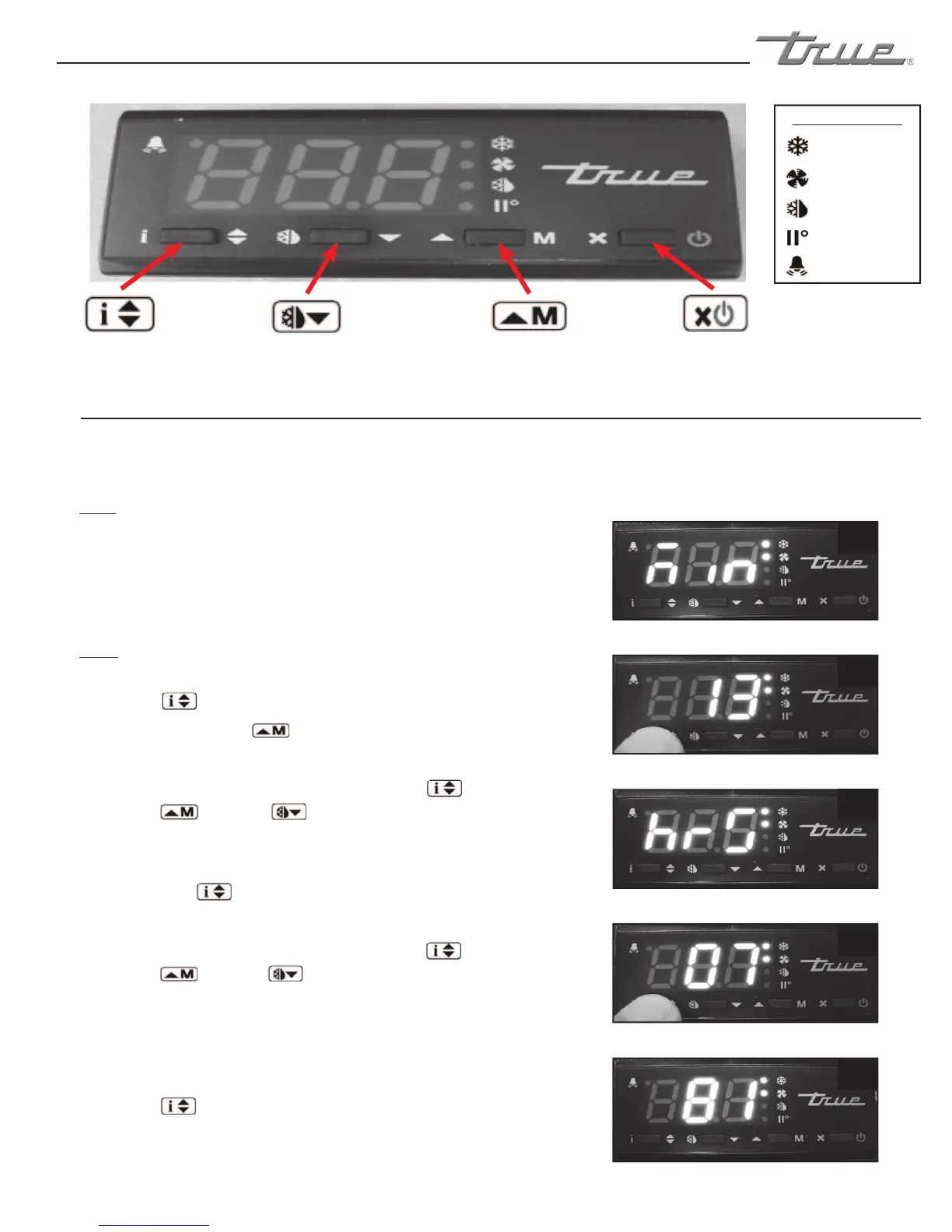
LAE Electronic Control
Info/Set Point
Button
Manual Defrost/
Down Button
Manual Activation/
Up Button
Stand-By
Button
Compressor
Running
Activation of 2nd
Parameter Set - NA
Alarm - NA
Cabinet in Defrost
Evaporator Fan
Running
LAE Control Icons
May need to unlock control. Does not adjust for daylight savings time.
1
2
3
4
5
WHY:
TO MAKE SURE THE CABINET DOES NOT INITIATE
DEFROST & GET WARM DURING TIMES OF HIGH USAGE.
Control may be designed to initiate defrost at specifi c
times of the day.
HOW:
A. To change the time of day, press and release the info
button . “t1” will appear.
Press the up button until “min” appears.
See image 1.
B. While pressing and holding the info button , press
the up or down button to change the clock
minutes. See image 2.
C. Once the minutes have been set correctly, release the
info button and “hrs” will appear on the display.
See image 3.
D. While pressing and holding the info button , press
the up or down button to change the clock
hours. See image 4.
Note: When changing the clock hour, the clock will be
displayed in 24 hour format ranging from 0-23.
E. Once the hour has been set correctly, release the info
button .
Wait 5 seconds for the display to show temperature.
See image 5.
the up or down button to change the clock
the up or down button to change the clock
Press the up button until “min” appears.
the up or down button to change the clock
the up or down button to change the clock
button . “t1” will appear.
While pressing and holding the info button , press
While pressing and holding the info button , press
info button and “hrs” will appear on the display.
This is only necessary if the defrost mode parameter (DFM) is set for “RTC”.


 To Next Page