8
d) Power supply
Connect the USB port and the cigarette lighter socket with the car charger, then start the engine, the device will
automatically power on and start recording.
Note: There are two mini USB ports, one is on the device, another one is on the camera holder.
When the charging USB cable is connected to the camera, only the camera will by powered.
When the charging USB cable is connected to the camera holder, both the camera and the GPS / Speed
camera detector will by powered.
So if want to work with GPS / Speed camera detector module, car charger need connect with mini USB port
on camera holder.
e) Motion detection
1. In the recording mode, press the Menu button to enter the settings, then select Motion Detection.
” will appear on the display and the
device will begin recording.
Once there are no moving objects detected, the device automatically stops recording.
The intensity of movement depends on the selected motion detection sensitivity. Users must know that selecting high
sensitivity may soon lead to a full memory card.
Note: It is not recommended to use the motion detection and loop recordings together.
f) G-sensor function
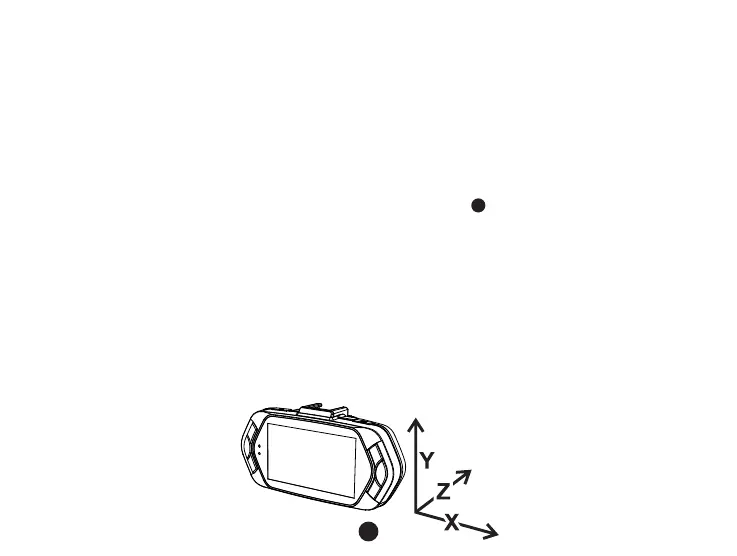
In case of an accident, the gravity sensor (G-sensor) can gather direction and other important data of the collision.
According to the value set for the G-sensor sensitivity, the camera will determine whether to turn the protection mode
on or not. If the protection mode is not turned on, the current video may be overwritten by loop recording. Be careful
G-sensor directions are shown in the picture bellow:



 To Next Page