Delivery scope
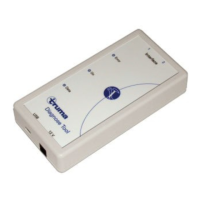
1 Diagnose Tool – interface / hardware
1 CD-ROM with software for
– „Diagnose Tool“
– „Live Display“
1 USB cable
2 Cable – Combi connection (RJ12 – RJ12)
1 Cable – Mover® connection (RJ12 bushing – direct plug)
1 Coupling RJ12 for cable extension
1 Cable (with 5 mm jack on one side) – for the power supply
to the interface via the control unit
System requirements
Windows 2000, XP, Vista, 7 (32 Bit)
Memory required on the hard drive: around 40 MB
(if Microsoft .NET Framework Version 2.0 is not installed,
you will require approximately 275 MB more memory space
on the hard drive)
Install software
Place the CD-ROM into the computer and then follow the
instructions on the screen.
Before the “Diagnose Tool” is connected, the software
needs to be installed on the computer.
Connect the “Diagnose Tool” to the computer
Operating voltage
The interface requires a d.c. voltage of 12 V.
The power is supplied via
the control unit,
or via cable connected to the control unit.
Update software
The current software can be downloaded in the dealer area
(see www.truma.com).
–
–
–
–
–
Interface “Diagnose Tool”
Safety instructions
It may only be operated with original Truma software.
Guarantee claims, warranty claims and acceptance of liability
will be ruled out in the event of the following:
modifications to the unit (including accessories),
modifications to the exhaust duct and the cowl,
failure to use original Truma parts as replacement parts and
accessories,
failure to follow the installation and operating instructions,
changes to the software.
–
–
–
–
–
–
–


 To Next Page