Mover®
Control unit installed in the vehicle
The control unit of the Mover® must be operational.
The power supply must be active.
Connect the 13 or 7-pin plugs of the caravan into the safety
socket.
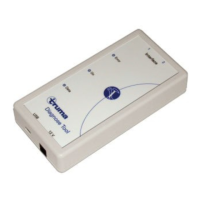
Connect the “Diagnose Tool” to the Mover® adapter cable.
Mover® connection
1 2
Interface
Diagnose ToolMover®
SET/01
belu 2010
Export error memory
Start the “Diagnose Tool” program on the computer.
Export control unit separately
Place the control unit on a non-conductive surface.
Check the wires are connected to the correct terminals.
Operating the control unit without periphery can gener-
ate new errors.
Mover® connection
Supply control unit with power (12 V DC / min. 0.2 A)
Simulate the connection of the safety socket with a
bridge (W1).
Connect the “Diagnose Tool” to the Mover® adapter
cable (W2).
+ –
W1
W2
12 V
1 2
Interface
Diagnose Tool
SET/01
belu 2010
Export error memory
Start the “Diagnose Tool” program on the computer.
–
–
–
–
–
–
–
–
–
–
–
Export control unit separately
Place the control unit on a non-conductive surface.
Check the wires are connected to the correct terminals.
Operating the control unit without a sensor and cable
harness can generate new errors (Combi 4 / 6 – No. 61,
Combi D – No. 111).
Connection to Combi 4 (E) / Combi 6 (E) /
Combi D
Supply control unit with power 12 V DC / min. 0.2 A
also supply the „Diagnose Tool“ with power via the control
unit (12 V DC / min. 0.2 A).
+ –
Interface
12 V DC /
min. 0,2 A
Diagnose Tool
1 2
12 V
X2
X2 connection to clock – Combi 4 (E) / Combi 6 (E)
connection to ZSU – Combi D
Export error memory
Start the “Diagnose Tool” program on the computer.
–
–
–
–
–


 To Next Page