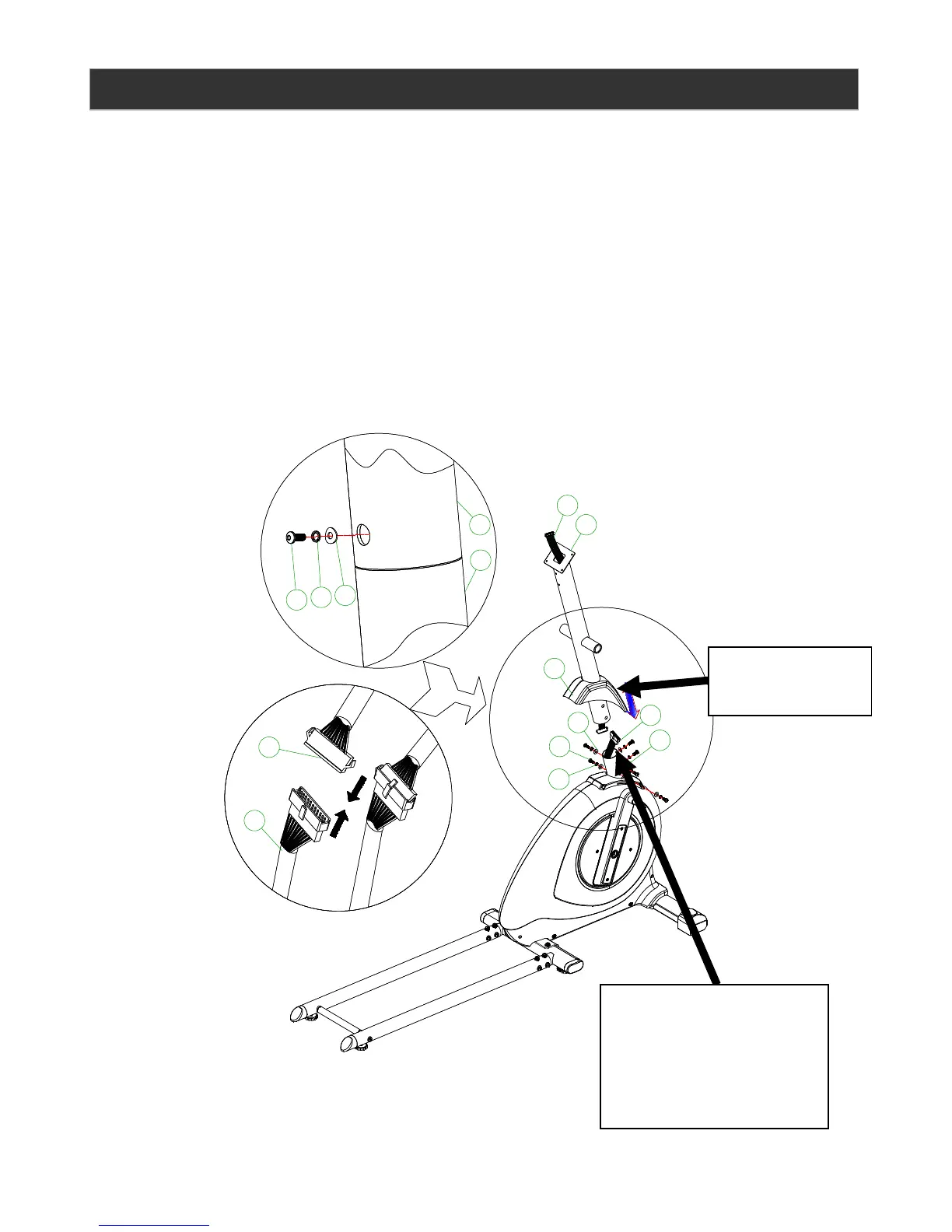
Step 2:
A. Slide the handlebar post cover (32) onto the handlebar post (49).
B. Connect the upper computer cable (3) with the lower computer cable (48) put the
excess cable in to the handlebar post.
C. Insert the handle par post (49) into the main frame (47) screw the lower 3 x M8*20mm
Allen bolt (17), 3 x Ф8 spring washers (20), 3 x Ф8*19*1.5t curved washers (16). Aline
the handlebar post (49) and tighten the bolts. Slide down the handlebar post cover (32)
onto the handlebar post (49), then tighten the upper 3 x M8*20mm Allen bolt (17), 3 x
Ф8 spring washers (20), 3 x Ф8*19*1.5t curved washers (16).



 To Next Page