- 56 -
6.9 Favorites
This feature is used to create your own favorites list. You can organize the commonly
used setting options in “Favorites”.
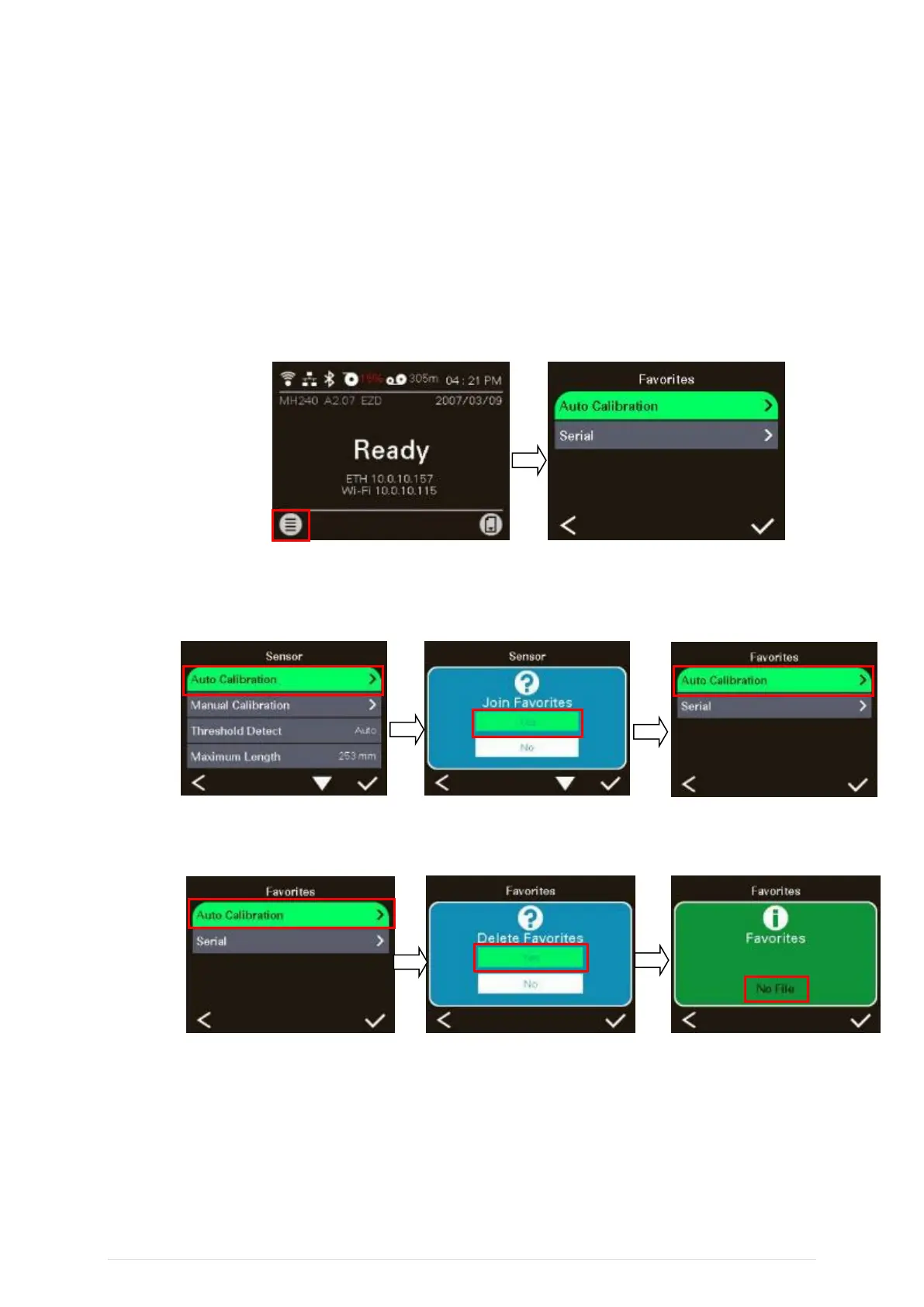
Select “Favorites” list
Touch and hold left select key on main screen, the “Favorites” list will pop up.
Note: if the main menu button with locked sign, please input password to unlock
the screen.
Get organized “Favorites” list
Touch and hold a favorite option item by right select key, until “Join Favorites”
setting screen pops up. Select “Yes” to add this setting option item to “Favorites”.
Delete favorites item
Touch and hold the option item by right select key, until “Delete Favorites” setting
screen pops up. Tap “Yes” to delete this setting option item on “Favorites”.



 To Next Page