EasyManua.ls Logo

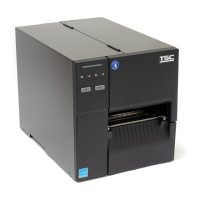
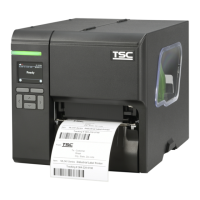
TSC MB240 Series - User Manual

TSC MB240 Series
69 pages
Print Icon
To Next Page IconTo Next Page
Loading...
1
USERS
MANUAL
MB240/ MB340/ MB240T/ MB340T Series
THERMAL TRANSFER / DIRECT THERMAL
BAR CODE PRINTER

Other manuals for TSC MB240 Series

Questions and Answers

  • C
    Cynthia WilsonSep 23, 2025
    What to do if I can’t download files to my TSC Barcode Reader's memory?
    • B
      Brandon OneillSep 23, 2025
      If you can’t download the file to memory (FLASH / DRAM/CARD) of your TSC Barcode Reader, it is possible that the memory is full. Delete any unused files from the memory to free up space.
  • J
    Joseph JohnsonAug 23, 2025
    How to improve print quality on a TSC printer?
    • Y
      yrobinsonAug 25, 2025
      If you're experiencing poor print quality on your TSC printer, consider these solutions: * Reload the supply. * Clean the print head and platen roller. * Adjust the print density and print speed. * Run a printer self-test and check the print head test pattern for missing dots. * Change to a proper ribbon or label media. * Adjust the printhead pressure adjustment knob. * Ensure the release lever properly latches the printhead.
  • J
    jonescrystalAug 25, 2025
    What to do when my TSC MB240 says 'No Ribbon'?
    • L
      lovewayneAug 26, 2025
      If your TSC printer indicates 'No Ribbon': * Supply a new ribbon roll. * Refer to the user’s manual for instructions on reinstalling the ribbon.
  • L
    Laura LeonardAug 27, 2025
    What to do if my TSC Barcode Reader says 'No Paper'?
    • C
      Christina LamAug 27, 2025
      If your TSC Barcode Reader shows 'No Paper', it might be due to an empty label roll. Replace it with a new one. If that's not the issue, the label roll might be installed incorrectly. Refer to the user’s manual to reinstall the label roll correctly. Also, the gap/black mark sensor may not be calibrated; try calibrating it.
  • S
    Stacy DyerAug 27, 2025
    What to do if my TSC Barcode Reader displays 'No Ribbon'?
    • H
      Howard WilsonAug 27, 2025
      If your TSC Barcode Reader displays 'No Ribbon', it could be that the ribbon roll is depleted. Replace it with a new ribbon roll. Alternatively, the ribbon might be installed incorrectly. Consult the user’s manual for instructions on how to reinstall the ribbon correctly.
  • M
    Mrs. Stephanie AvilaSep 16, 2025
    How to fix a TSC Barcode Reader when the power indicator does not illuminate?
    • T
      Todd LeonardSep 16, 2025
      If the power indicator on your TSC Barcode Reader does not illuminate, first check if the power cord is properly connected to both the printer and the outlet. If it is, ensure that the power switch is turned on.
  • M
    Matthew EllisSep 13, 2025
    Why is my TSC Barcode Reader not printing?
    • K
      khatfieldSep 13, 2025
      If your TSC Barcode Reader isn't printing, first ensure the interface cable is securely connected; if not, reconnect it or try a new cable. For wireless or Bluetooth connections, try resetting the wireless device settings. Also, verify that the correct printer port is selected in the Windows driver. Another solution is to clean the printhead. If none of these work, turn off the printer and check the printhead's harness connector to ensure it's properly connected. Finally, check your program to ensure there's a PRINT command at the end of the file and that each command line ends with CRLF.
  • W
    William AndersonSep 14, 2025
    Why is there no print on the label from my TSC Barcode Reader?
    • H
      hartmanheatherSep 14, 2025
      If your TSC Barcode Reader isn't printing on the label, make sure the label or ribbon is loaded correctly by following the instructions. Ensure that you are using compatible ribbon and media. Verify the ribbon-inked side. Also, check that the print density setting is correct.
  • T
    Thomas MartinSep 5, 2025
    How to correct the printing position of small labels on a TSC MB240?
    • K
      Kristen HernandezSep 6, 2025
      If the printing position of a small label is incorrect on your TSC printer: * Calibrate the sensor sensitivity again. * Set the correct label size and gap size. * Press [Menu] [Setting] [Shift Y] to fine tune the parameter of Shift Y. * If using BarTender software, set the vertical offset in the driver.
  • C
    carlossingletonSep 3, 2025
    What to do if my TSC MB240 shows 'No Paper'?
    • V
      Victoria SullivanSep 3, 2025
      If your TSC printer indicates 'No Paper', you should: * Supply a new label roll. * Refer to the user’s manual for instructions on reinstalling the label roll. * Calibrate the gap/black mark sensor.

TSC MB240 Series Specifications

General IconGeneral
Print MethodThermal Transfer/Direct Thermal
Resolution203 dpi
Processor32-bit RISC CPU
Operating Humidity25-85% non-condensing
ConnectivityUSB 2.0, RS-232
Media SensorReflective, Transmissive
Media TypeContinuous, Die-cut, Black mark, Fan-fold, Notched
Media Width25.4 mm
Media Thickness0.06 mm
Media Core Diameter25.4 mm (1")
Media Max Roll Diameter127 mm (5")
Ribbon Width110 mm
Ribbon Length300 m
Ribbon Core Diameter25.4 mm (1 inch)
Power100 - 240 VAC, 50/60 Hz
Maximum Print Length9999 mm
Label Width25.4 mm
Label Thickness0.06 mm
Power Supply100-240V AC, 50-60Hz
Operating Temperature5°C - 40°C
Storage Temperature-20°C - 60°C
CertificationsCE

Related product manuals