Connecting Filter and Flow Tubes
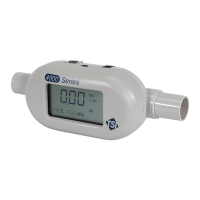
The Models 4040/4043/4045 have an exposed thermal flow sensor,
which must be protected from foreign matter and particles in the gas
flow. TSI has supplied a filter, which should be connected to the inlet
of the flowmeter; however, any filter will work as long as it has a
minimum efficiency of 99.9%.
Always use a filter on the inlet of the flowmeter.
Failure to filter the gas flow may change the
calibration and/or permanently damage the
sensor.
Note: Flow direction is identified by the large arrow printed on the
bottom side of the flowmeter.
After attaching the filter, connect the flow tube, to the inlet, of the
filter. Connecting a tube to the outlet of the flowmeter will create back
pressure. See Appendix A for flowmeter accuracy specifications when
operating at various pressures. In general, minimize back pressure on
the flowmeter to maintain higher accuracy.
RS232 Configuration and Operation
Many flowmeter operating parameters can be easily configured
through the RS232 serial port. Likewise, the flow rate, temperature,
pressure, and volume can be read through the serial port. Refer to
the Series 4000/4100 RS232 Serial Command Set manual for a
detailed description of the commands and command syntax.
RS232 Settings: Baud Rate ........ 38.4 k
Data Bits .......... 8
Parity ................ None
Stop Bits .......... 1
Flow Control ..... None
Table 3. Changeable Operating Parameters









 To Next Page