Maintenance and Troubleshooting 4–5
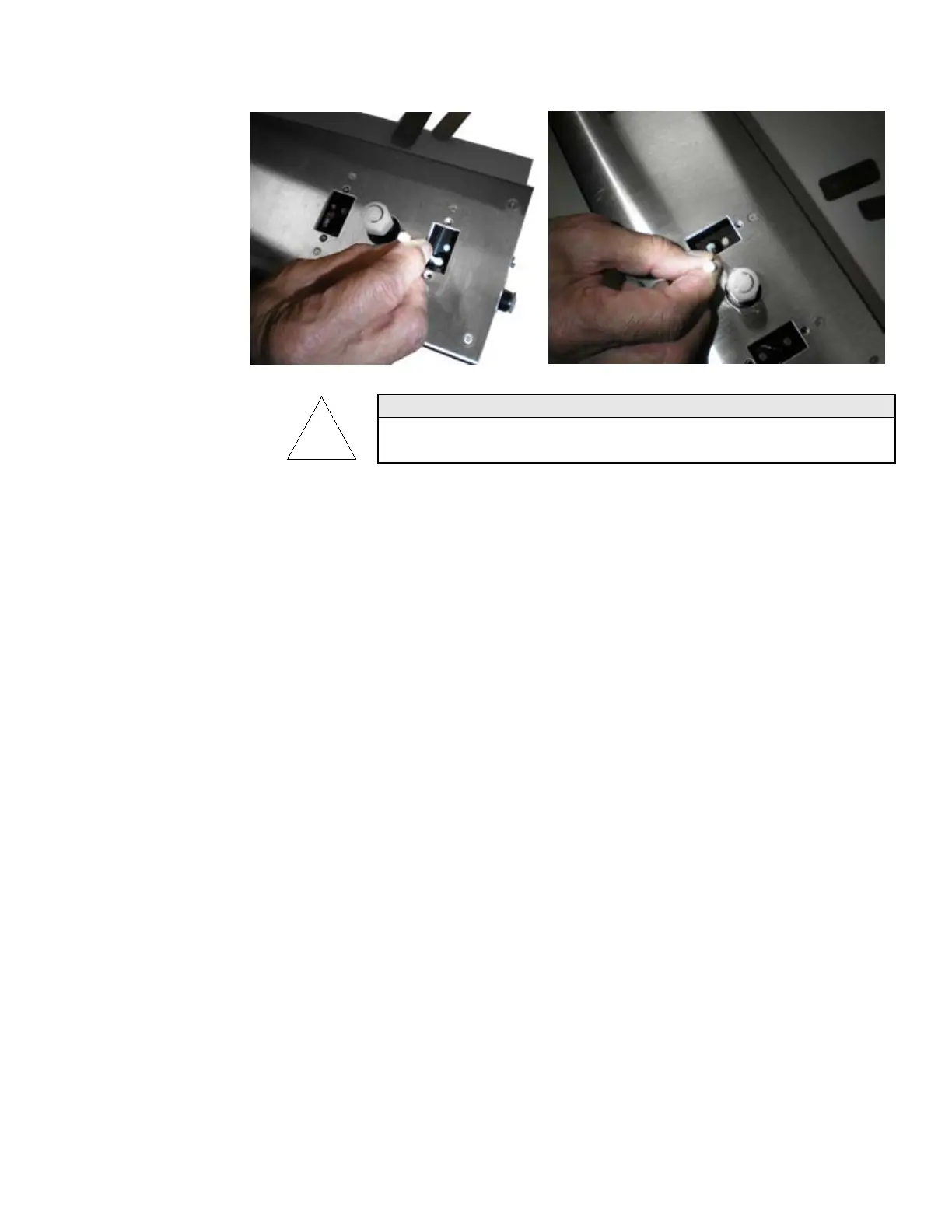
Use each cotton swab for one wipe only. Do not put the used swab back
into the acetone as this will contaminate the acetone.
Note: Ambient light may affect the voltage reading. The cleaning
ports may need to be installed in order to get an accurate
reading.
8. Note the present Laser Reference Voltage on the DVM. If the
optic does not have any more bright sparkles and LVREF has
risen, replace the cleaning port onto the block. Be sure that
the port is in correctly and seated well. Turn on the vacuum
for 20 to 30 seconds.
9. Repeat the above procedure on the other optical surface. Be
careful not to turn the vacuum on when a cleaning port is
removed. When the Laser Reference Voltage is within 80 to
90% of the Initial Laser Voltage, the optics are clean (it is
normal to have some oscillation in the voltage). If LVREF
voltage cannot be raised to this value, contact TSI.
10. Once the particle counter is clean, replace the cleaning port
plug. Turn on the vacuum and monitor the Laser Reference
Voltage to make sure it remains stable. If the voltage drops
significantly, stop the vacuum and repeat the cleaning steps
until the optics are clean.



 To Next Page