Page 1 - Sensor Features
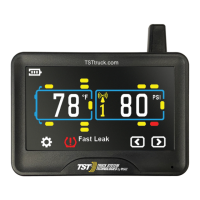
Page 1 - Display Features
Page 2 - System Components in Kit
Page 2 - Display Controls
Pages 3~6 - Programming Sensor Codes Into the Display
- Automatic Code Learning (Option #1)
- Pressure Coding (Option #2)
- Manual Coding (Option #3)
Pages 6 - Sensor Installation - Flow-through Sensor
Pages 7 - Sensor Installation - Cap Sensor
Page 8 - Display Installation
Page 8 - Display Buttons
Page 9 - Parameter Settings (Setting the sensor alarms)
Page 9 - Pressure Parameters
Pages 9~10 - Temperature Parameters
Page 10 - High Temperature Alarm Settings
Pages 10~11 - High Pressure Alarm Settings
Page 11 - Low Pressure Alarm Settings
Page 12 - Restore parameters to factory default settings
Pages 12~13 - Display Alerts
Pages 13~14 - Other Functions
Pages 15~16 - Replacing The Flow-through Sensor Battery (CR1632)
Page 17 - Replacing The Cap Sensor Battery (CR2032)
Page 18 - Additional Functions
Page 19 - Troubleshooting Tips
Pages 20~23 - Common Questions
Page 23 - Repeater
Page 24 - Specifications
TST-Doc-507FT-RV WSD-C Manual-(D)



 To Next Page