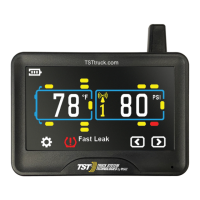
PARAMETER SETTINGS (Setting the sensor alarms)
PRESSURE PARAMETERS
TEMPERATURE PARAMETERS
TST-Doc-507FT-RV WSD-C Manual-(D)
Note: The factory default settings are:
Pressure Unit: PSI Temperature units: °F
High Pressure: 175 PSI High Temperature: 158°F (70°C)
Low Pressure : 100 PSI
Note: Be sure your display is ON and it is showing the Main Screen.
To choose the Pressure Parameter, pressandholdthe "SET" button until it beeps.
Press the (+) button three (3) times and "SET" will appear at the bottom of the
screen and BAR/PSI will be blinking on thescreen.Press the "SET" button again
and then use the (+) button to select "PSI" (or "BAR"). Press "SET" again to save it.
Press "BACK" to go back to the Main Screen.The default setting is PSI.
To set the Temperature Parameters (°F or °C), press and hold the "SET" button
until it beeps. Press the (+) button four (4) times and "SET" will appear at the
bottom of the screen and °F/°C will appear on the screen, blinking. Press the
"SET" button again and then use the (+) button to select °F or °C. Press "SET"
again to save it. Press "BACK" to go back to the Main Screen. The default setting is
°F.



 To Next Page