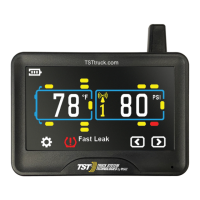
DISPLAY BUTTONS
DISPLAY INSTALLATION
Power Switch
1. The provided suction cup mount can be used on the windshield, side window or
directly on any smooth nonporous surface. Snap the mount into the back tabs
on the display to use. Alternately, use the dash cradle to hold the display. Be
sure you do not cover either hole on the displays' lower bezel with the cradle
legs.
2. Plug the power cord into the vehicle's cigarette lighter/power port and then into
the side of the display to charge the internal lithium battery. Charge display for
four (4) hours the first time.
Ÿ There are five (5) programming buttons on the display. They are: "GO","SET",
"BACK" on the left side of the display and (+) and (-) on the right side of the
display.
Ÿ The power slide switch is located on the right side of the display. Slide it up to
turn on the display. Slide it down to turn off the display.
Note: The side power switch will not turn off the display when constant power is
applied to the unit.
Antenna
TST-Doc-507FT-RV WSD-C Manual-(D)



 To Next Page