13
1. Insert the cord into its port on the le hand side of the phone
2. Plug the charger into an electrical outlet.
To disconnect the charger:
1. Unplug the wall charger.
2. Remove the cord from the phone.
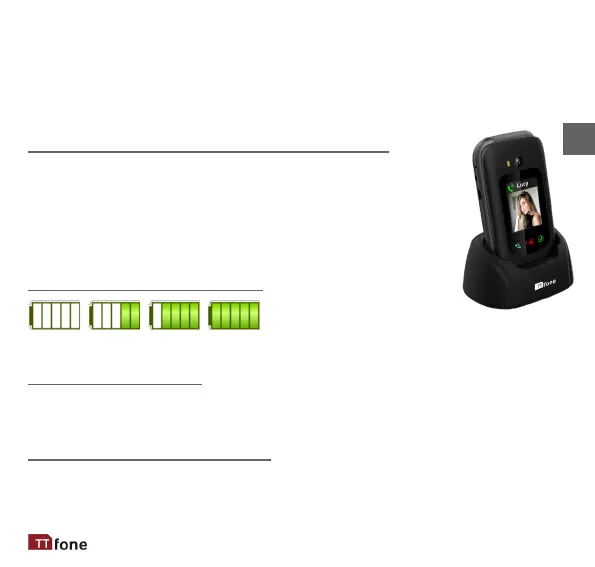
Charging Using the Docking Charger
You can also use the included docking charger for
easy charging.
1. Simply plug the charger into the back of the dock
2. Place the phone into the dock to start charging.
3. Remove the phone when charging is complete.
Baery Level Indicaon
EMPTY FULL
Low Baery Alert
The phone will sound an alert when the baery is low and display a
message of low baery on the screen.
Low Baery Nocaon
When the baery level on the phone goes down to 10% the phone
can send reminder texts to up to three set numbers. See page 29.
EN



 To Next Page