9
GETTING STARTED
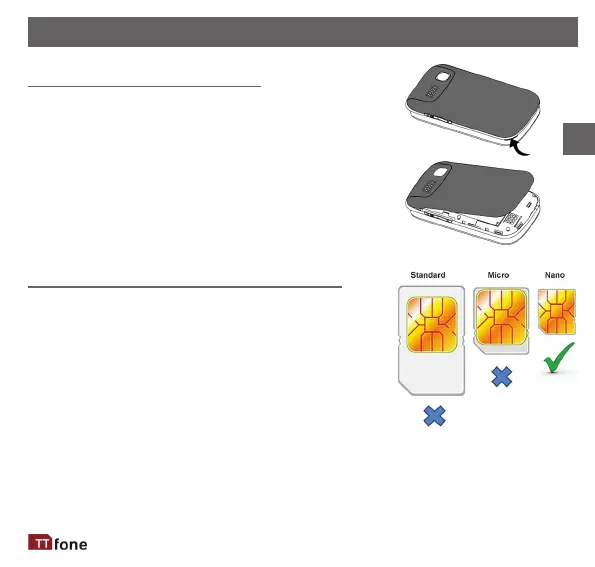
Remove the Back Cover
Open the baery cover carefully by liing
from the boom le corner of the phone
where you will nd a small notch. Use your
nger nail or a small blunt tool to prise open
the cover starng from the notch.
Install the SIM card and baery
For availability and informaon about using
SIM card services, contact your SIM card
vendor. This may be the service provider,
network operator, or other vendor.
EN



 To Next Page