22
without having to read the names in a small list. Use the navigaon keys or
the touchscreen to select Opons and here you can edit the contact or
import from your exisng contacts. To add the picture you can use the
Camera on the back/front of the phone or you can import the picture le.
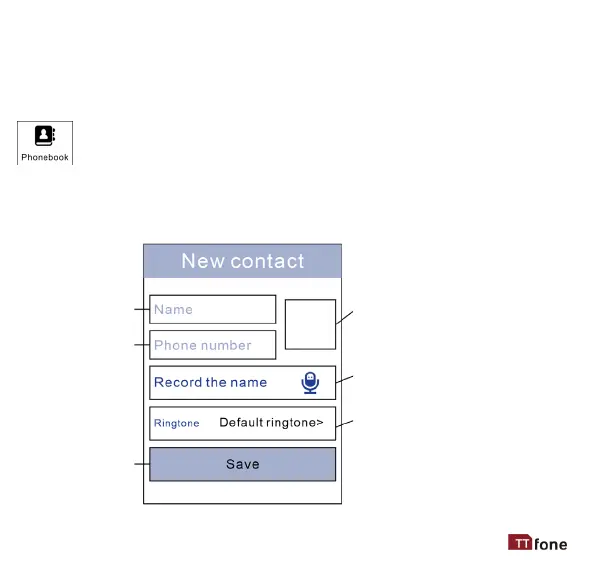
Store all your contact informaon in the phone book and easily
access all your friends and family. Use the navigaon key or
touchscreen to select Opons here you can add new contacts.
Another unique funcon is the ability to record the name of your
contact as a ringtone, this way when that caller phones you the name is
read out so you know who is calling you without looking at the phone.
Type the
name here
Click here to add a photo
- if you add a photo
here in the phone book
it will override the photo
used in Photo Contacts APP
Type the
phone number
Click here to record the
name as a voice le
Click Save
when done
or select Default
Ringtone



 To Next Page