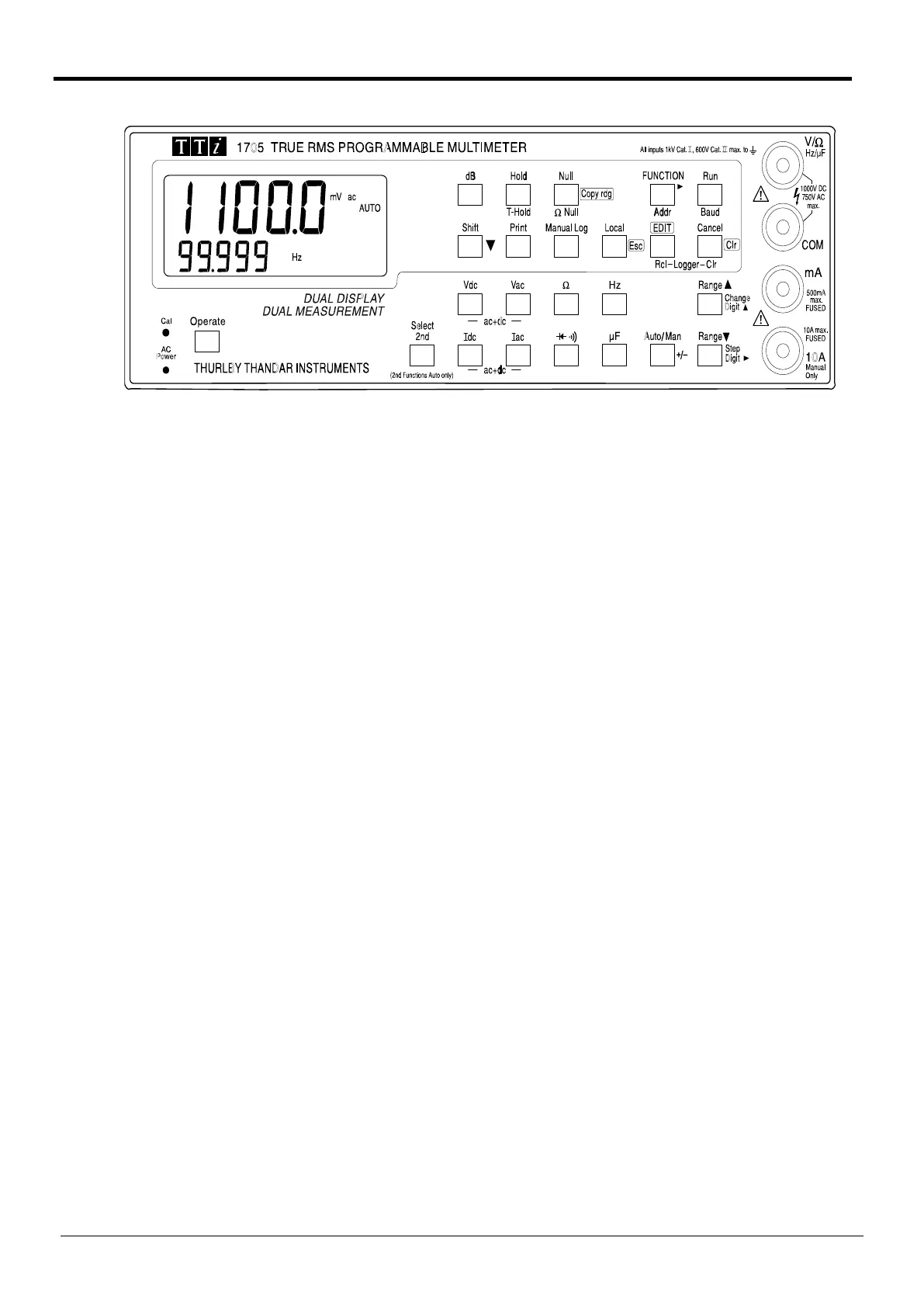
Keyboard Organisation
The keys can be considered in two groups:
The two rows of keys in the lower half of the keyboard directly select the functions and ranges of
both the primary and secondary displays. When pressed alone the function keys select the
function of the primary display, cancel any secondary function, and set autorange; the operating
range is shown in the secondary display. Pressing Select 2nd followed by a function key selects
the function of the secondary display; this is explained fully in the Dual Measurement Mode
section, which also details which combinations of functions can be used.
Auto/Man and Range Up/Range Down keys are additionally used when editing numbers for some
of the modifier functions, see the Number Editing section.
The two rows of keys in the upper part of the keyboard give access to all the modifiers, i.e.
mathematical functions which act upon the primary measurement function. At the simplest level
these are, for example, the display of ac voltages in dBs; more complex functions include Ax + b
scaling, delta % and data logging. The access to and operation of all modifiers is fully explained
in the Advanced Features section later in this manual. It is sufficient to note here that some keys
have different functions during modifier editing, indicated by the blue legend beside the keys, and
some keys have shifted functions (following the pressing of the Shift key), marked beneath the
keys in yellow.
Number Editing
Delta %, Limits and Ax + b modifiers operate with numbers which are set by entering edit mode
after the modifier has been selected. Number editing operates in the same way for all these
modifiers and is described here to avoid repetition in each of the modifier sections.
The appropriate modifier is first selected by successive presses of the FUNCTION key as
described fully in the Second Level Modifiers section. Edit mode is entered by pressing the EDIT
key whilst the selected modifier is flashing in the modifier menu. The primary display changes to
show the parameter being edited and the number itself, together with the appropriate units, is
shown in the secondary display; the selected modifier symbol continues to flash with all the other
annunciators off. For example, selecting Edit mode for the Limits modifier will show:
14



 To Next Page