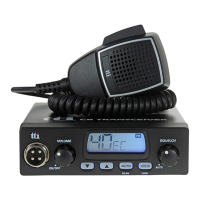
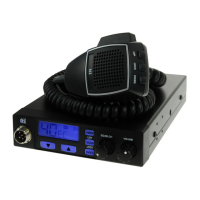
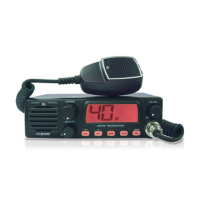
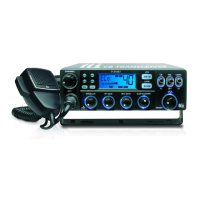
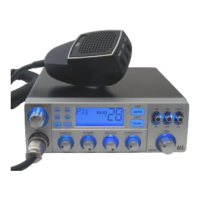
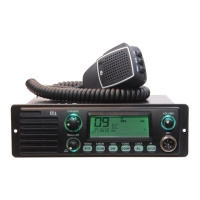
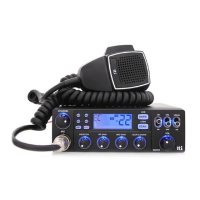
The TCB-771 is a 4W mobile CB transceiver designed for reliable performance in various conditions. It features a rugged chassis, PCBs, and components, ensuring durability. The design emphasizes user convenience with ergonomically placed knobs and buttons, and a user-friendly graphic layout for easy operation. A newly applied menu mode enhances the user experience, and the elegant blue LED lighting complements vehicle interiors.
Function Description:
The TCB-771 operates as a mobile CB transceiver, allowing communication over Citizens Band radio frequencies. It supports both AM (Amplitude Modulation) and FM (Frequency Modulation) modes, depending on regional regulations. The transceiver includes features for channel scanning, emergency channel access, and keypad locking.
Important Technical Specifications:
- Channel: 40 channels (refer to frequency band chart)
- Frequency Range: 26.56 MHz ~ 28.00 MHz
- Operating Mode: F3E (FM), A3E (AM)
- Frequency Control: PLL Synthesizer
- Frequency Tolerance: 0.002%
- Operating Temperature Range: -10 to +55 C°
- Microphone: Plug-in Type
- Input Voltage: 12V/24V DC ± 10%
- Size: 140 (W) x 186 (L) x 37 (H)
- Weight: 990 g
- Antenna Connector: SO-239 type
- Power Output: Duty cycle 10% 4 Watts @13.8V DC
- Modulation: AM: from 85% to 95%, FM: 1.8KHz ± 0.2KHz
- Transmitter Frequency Response: 300Hz to 3000Hz
- Output Impedance: 50 ohms, Unbalanced
- Harmonic Suppression: More than -36dBm
- Current Drain (AM Full Mod.): 1.6A Max.
- Receiving System: Dual conversion superheterodyne
- IF Frequencies: Double Conversion 1st 10.695MHz/2nd 455KHz
- Sensitivity: 0.7µV for 10dB(S+N)/N in AM Mode, 0.5µV for 20dB SINAD in FM Mode
- Audio Output Power: 2.0W @ 8 Ohm
- Audio Distortion: Less than 8% @ 1KHz
- Image Rejection: 60 dB
- Adjacent Channel Rejection: 60 dB
- Conducted Spurious: More than 60 dB
- Receiver Frequency Response: 300 to 2500Hz
- Built-in Speaker: 8 Ohms, round
- Squelch: Adjustable; Threshold less than 1 microvolt
Usage Features:
- Microphone Jack (1): Standard jack for microphone connection.
- LCD Display (2): Shows operational information including frequency band, low power (AM 1 Watt) indicator, scan status, transmit/receive status, FM/AM mode, channel display, signal strength meter, keypad lock, and emergency channel display.
- Emergency Button (3): Pressing this button switches to emergency channel "CH 9" and displays the EMG icon. Channel selector and quick up/down buttons are disabled in this mode. Press again to return to the previous mode.
- Scan/Lock Button (4):
- Scan: Momentarily press to start scanning upward for occupied channels. The Scan icon appears when active. Scanning stops when deactivated or when a valid signal is detected (pauses for a set duration). Turning the channel selector counter-clockwise changes the scanning direction. Pressing PTT during scan on a detected signal transmits on that channel; scanning resumes after scan receive/delay time. Pressing PTT during general scanning returns to the original channel; scanning resumes after scan receive/delay time.
- Lock: Press for more than 2 seconds to activate/deactivate keypad lock, which locks the channel selector, quick up/down buttons, and scan button. Other controls remain functional.
- AM/FM and LCR Button (5): In UK, UE, or EC frequency band modes, this button activates/deactivates Last Channel Recall (LCR). In other modes (where permitted), it switches between AM and FM modes.
- Quick Up Button (6): Briefly press to increase channels by 10 steps.
- Quick Down Button (7): Briefly press to reduce channels by 10 steps.
- Squelch Control Knob (8):
- Main Squelch Control: Turn counter-clockwise until background noise is heard, then turn slightly clockwise until the noise disappears for optimal receive sensitivity.
- Auto Squelch: Turn counter-clockwise until a click sound is heard to activate. To return to manual squelch, turn clockwise until a click sound is heard, then follow the manual squelch setting procedure.
- Volume and Power On/Off Knob (9): Turn clockwise to switch on the transceiver. Further clockwise rotation increases audio volume.
- Channel Selector (10): Turn right or left to select channels one by one.
- Antenna Connector (11): Connects the antenna cable.
- S-Meter (12): Port for an external S-Meter (not supplied).
- Power 12V/24V DC (13): Connects the power supply cable.
- EXT Jack (14): Connects an external loudspeaker, which turns off the built-in speaker.
- Microphone Controls:
- Up Button (1): Changes channels upward.
- Down Button (2): Changes channels downward.
- Lock Button (3): Locks the microphone's up/down buttons, mirroring the transceiver's front panel lock.
- PTT Button (4): Press to transmit.
- 6 Pin Microphone Connector (5): Connects to the microphone jack on the transceiver.
- Menu Setting Mode: Accessed by pressing the microphone's Lock button and turning on the transceiver. Allows programming user preferences and activating advanced functions:
- Beep Tone: On/Off.
- Time-out Timer: Off or 1-99 seconds.
- Scan Receive Timer: Continue or 1-99 seconds.
- Scan Delay Timer (after Receiving signal): Off or 1-99 seconds.
- Backlight Dimmer: High/Low/Off.
- Navigation in Menu: Use Channel Selector for main features, AM/FM button to enter value setting, Channel Selector to change blinking values, SCAN button to return to main features. Lock or PTT button (microphone) confirms selections and returns to standby mode, or changes are auto-confirmed after 5 seconds.
- Band Selection: Press AM/FM and Scan buttons simultaneously, then turn on the transceiver. Use the channel selector to select the desired band. The LCD displays band information. Press AM/FM again (while blinking) or wait 5 seconds to confirm selection. The transceiver ships with "EC" band setting. Available bands include EC (Europe 40 Ch FM 4W), E (Spain 40 Ch AM/FM 4W), F (France 40 Ch FM 4W, 40 Ch AM 1W), PL (Poland 40 Ch AM/FM 4W, 5KHz frequencies), UK (UK 40 Ch FM 4W), UE (UK 40 Ch FM 4W + CEPT 40 Ch FM 4W), I (Italy 40 Ch AM/FM 4W), I2 (Italy 34 Ch AM/FM 4W), D (Germany 80 Ch FM 4W, 12 Ch AM 1W), D2 (Germany 40 Ch FM 4W, 12 Ch AM 1W), EU (Europe 40 Ch FM 4W, 40 Ch AM 1W).
Maintenance Features:
- Installation: Plan transceiver and microphone location for easy access. Mount horizontally or vertically using the supplied bracket. Connect antenna cable to "ANT" receptacle. Connect power cable directly to vehicle battery or fuse box (Red: Positive Pole(+), Black: Negative Pole(-)), observing polarity. Connect power cable to transceiver. Mount microphone bracket. Connect microphone to transceiver receptacle.
- Antenna Installation: Use a good quality, high-efficiency 27MHz antenna. Place antenna as high as possible, longer antennas generally provide better performance. Mount antenna in the center of the chosen surface. Ensure a solid metal-to-metal ground connection. Avoid damaging the cable. Warning: Do not operate the transceiver without a proper antenna to prevent damage.
- Troubleshooting: If problems occur, first check power supply, microphone, and antenna connections. If issues persist, reset the transceiver: switch off, then press the EMG button while switching on. This erases memories and restores factory settings, often resolving problems. Consult a dealer or website for further assistance.
- Safety Requirement: The power cable is for 12V/24V DC only. Ensure the transceiver is off before connecting power leads. Observe polarity (Red: Positive, Black: Negative). The unit must be wired for negative ground only. Do not operate without a proper antenna to avoid damage.
- CE Declaration: CE versions of the TCB-771 comply with the essential requirements of the European Radio and Telecommunication Terminal Directive 1999/5/CE, and relevant harmonized standards (EN 300 135-2, EN 300 433-2, EN 301 489-1, EN 301 489-13, EN 60950-1). The CE 0648 symbol indicates compliance. A warning symbol indicates operation in non-harmonized frequency bands and/or potential licensing conditions; users should verify the correct version and programming for national licensing requirements. The unit can be used without license in many European countries, including Austria, Belgium, Bulgaria, Cyprus, Czech Republic, Denmark, Estonia, Finland, France, Germany, Greece, Hungary, Iceland, Ireland, Italy, Latvia, Lithuania, Luxembourg, Malta, Netherlands, Norway, Poland, Portugal, Romania, Slovakia, Slovenia, Spain, Sweden, Switzerland, and the U.K.

 Need help?
 General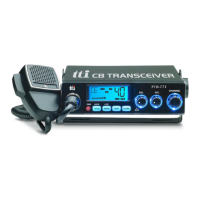

 To Next Page