EasyManua.ls Logo

TTI TCB-900 - User Manual

TTI TCB-900
18 pages
Print Icon
To Next Page IconTo Next Page
Loading...
www.ttikorea.co.kr
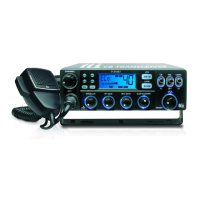
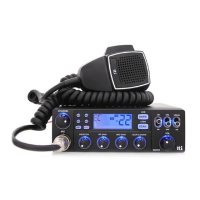
TCB-900
4W MOBILE CB TRANSCEIVER
I N S T R UCTIO N MAN U A L
Question and Answer IconNeed help?

Do you have a question about the TTI TCB-900 and is the answer not in the manual?

Summary

Introduction

Installation

Guidance on mounting the transceiver and microphone for optimal operation.

Installation Details

Mounting Bracket Placement

Position and secure the mounting bracket for the transceiver.

Antenna Connection

Connect the antenna cable to the transceiver's ANT connector.

Power Cable Connection

Connect the power cable to the vehicle battery or fuse box, observing polarity.

Microphone Bracket and Connection

Mount the microphone bracket and connect the microphone to the transceiver.

Installing an Antenna

Transceiver Controls and Functions Overview

Front Speaker

Describes the front-mounted speaker and its audio output.

Channel Selector

Explains the function of the channel selector knob for changing channels.

LCD Display and Microphone Details

Microphone Controls and Connector

Details the microphone buttons (Up, Down, Mute/Lock, PTT) and connector.

Operating and Troubleshooting Guide

How to Operate the Transceiver

Step-by-step guide for basic transceiver operation and transmission.

Trouble Shooting Procedures

Common problems and solutions, including a reset procedure.

Safety and Compliance

Safety Requirement Guidelines

Important safety guidelines for power connection and antenna usage.

Specifications

Technical Specifications

Technical details including frequency, power output, sensitivity, and dimensions.

Usage Restrictions

Restrictions on Use by Country

Details usage restrictions and licensing requirements by country.

Summary

Introduction

Installation

Guidance on mounting the transceiver and microphone for optimal operation.

Installation Details

Mounting Bracket Placement

Position and secure the mounting bracket for the transceiver.

Antenna Connection

Connect the antenna cable to the transceiver's ANT connector.

Power Cable Connection

Connect the power cable to the vehicle battery or fuse box, observing polarity.

Microphone Bracket and Connection

Mount the microphone bracket and connect the microphone to the transceiver.

Installing an Antenna

Transceiver Controls and Functions Overview

Front Speaker

Describes the front-mounted speaker and its audio output.

Channel Selector

Explains the function of the channel selector knob for changing channels.

LCD Display and Microphone Details

Microphone Controls and Connector

Details the microphone buttons (Up, Down, Mute/Lock, PTT) and connector.

Operating and Troubleshooting Guide

How to Operate the Transceiver

Step-by-step guide for basic transceiver operation and transmission.

Trouble Shooting Procedures

Common problems and solutions, including a reset procedure.

Safety and Compliance

Safety Requirement Guidelines

Important safety guidelines for power connection and antenna usage.

Specifications

Technical Specifications

Technical details including frequency, power output, sensitivity, and dimensions.

Usage Restrictions

Restrictions on Use by Country

Details usage restrictions and licensing requirements by country.

TTI TCB-900 Specifications

General IconGeneral
Frequency Range136-174 MHz
Power Output5W
Channels16
TypeHandheld
Modulation TypeFM
RF Output Power5W
MicrophoneBuilt-in
Output Power5W
ModulationFM
Power SourceRechargeable Li-ion Battery
BatteryLi-ion 1800mAh

Related product manuals