39 DIAMND: Draws a diamond (not visible)
40 FLOWER: Draws eight diamonds using proc39 (not visible)
Procedures – Using Procedures
To use an existing procedure in your program, press the key followed by the
number of the procedure you want to run. For example, to run the built-in hexagon
procedure, you would use:
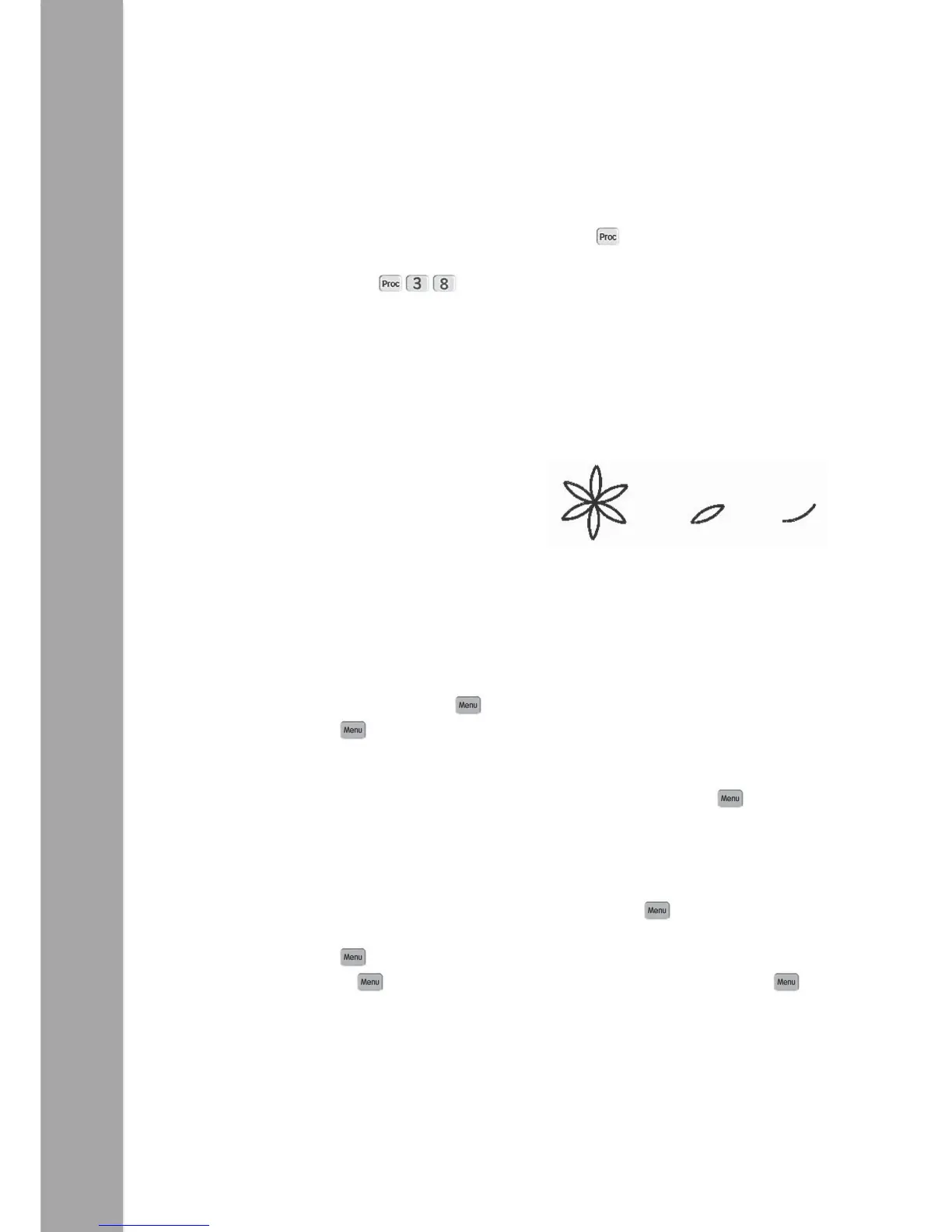
The following example draws a simple flower, with each petal being drawn using a
Procedure 1 (petal), which itself uses Procedure 2 (half petal).
Main Proc 1 Proc 2
Rpt 6 [ Proc 2 Rpt 10 [
Proc 1 Lt 120 Fd 1
] Proc 2 Lt 6
Lt 60 ]
TIP: On complex programs it is best not to use ‘Pause after command’, so switch it off
in the Config menu.
Procedures – Defining and Editing
To create a new procedure, press the key then scroll down to the <New Proc>
menu entry and press again. You are then presented with a list of procedures from
Proc1 to Proc32 and the sensor procedures. You can use any of the first 32 procedures
for what you want, but the sensor ones are fixed and can only be used for their
allocated sensor. Scroll down to the number you want to use then press again to
select it.
The top line of the display changes to the number of the procedure chosen, for
example ‘Proc 3’. You can then enter commands as you would normally. When you
have finished entering commands for the procedure, press the key again.
To edit a procedure you have already written, press and scroll down to the <Edt Proc>
menu entry and press again. Scroll down to the number of the procedure you
want to edit, then press . Edit the commands in the list as normal and press
once more to complete the procedure editing.
Pro-Bot allows you to run any procedure from within any other procedure, even ones
that haven’t any commands in yet. If you run procedures that call each other, you may


 To Next Page