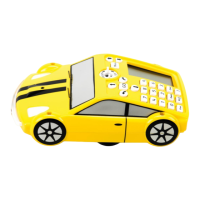
Press to start Pro-Bot
The program will look as follows in the following three procedures
Main 35 DARK 36 LIGHT
Fd 100 Light On Light Off
Example 2: Reversing when front touch sensor is pressed
Press followed by New Procedure
Select Procedure 33 ‘Front touch sensor’ [33 FRONT]
Press and hold the button to access the special commands menu.
Select ‘Sound 3’ to make Pro-Bot beep its horn
Press the back arrow key to program Pro-Bot to reverse
Press the left arrow key to insert a turn (by doing this Pro-Bot will continue reversing
and turning until there are no obstacles in front of it)
Press to return to the main screen
Press the forward key and enter a large number such as 300 (This will ensure that
Pro-Bot hits an object in the room before the program ends)
Press to start Pro-Bot
The program will look as follows in the two procedures
Main 33 FRONT
Fd 300 Sound 3
Bd
Lt
Connecting to a PC
Only use the special USB cable provided with your copy of Probotix software (TTS Code
– EL00477) (available separately) to connect Pro-Bot to the PC. Follow the instructions
with Probotix to install the PC software.
The upload/download process is managed completely from the PC and all that needs to
be done on the Pro-Bot is to ensure that it is switched on.


 To Next Page