EasyManua.ls Logo

Tunstall Telecom 400 - User Manual

Tunstall Telecom 400
26 pages
Print Icon
To Next Page IconTo Next Page
Loading...
Manual cover design (no pics et 10/6/03 4:18 PM Page 1
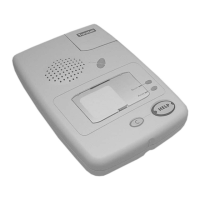
Telecom 400 & 400PR
installation and user guide
Part Number D3607106A
DRAFT
Question and Answer IconNeed help?

Do you have a question about the Tunstall Telecom 400 and is the answer not in the manual?

Summary

Setting Up the Telecom 400

Unit Placement and Positioning

Guidance on optimal positioning of the Telecom 400 unit in the home.

Wall Mounting Instructions

Instructions for securely attaching the Telecom 400 unit to a wall.

Connecting the Telecom 400 Unit

Testing the Telecom 400 System

Troubleshooting Guide Overview

How to Use the Telecom 400

Activating an Alarm Call

Explains how to activate an alarm call using the pendant or the unit's Help button.

Cancelling Accidental Alarms

Details the procedure for cancelling an accidental alarm call.

Answering Incoming Calls

Making Standard Phone Calls

Adjusting Telecom Volume

The Telecom Away Feature

Understanding the Away Features Purpose

Describes the purpose and function of the 'Away' feature for monitoring activity.

Managing Away Mode

Instructions on activating and deactivating the 'Away' mode.

Radio Pendant Operation

Pendant Communication Range Factors

Discusses factors affecting the communication range between pendants and the Telecom unit.

Pendant Use in Various Locations

Pendant-Telecom Unique Identification

Amie Pendant Specifications

Fall Detector Functionality

Fall Detector: Preventing False Alarms

Fall Detector: Initiating Alarm Calls

Fall Detector Battery Replacement Guide

Detailed Telecom 400 Features

Methods for Raising Alarms

Explains various methods for triggering an alarm call with the Telecom 400.

High-Quality Hands-Free Speech

Highlights the advanced two-way speech capabilities of the Telecom 400.

Inactivity Monitoring and Alerts

Environmental and Fire Alarms

Specialized Applications: Witness Protection

Alarm Call Management

Configuring Call Lists

Describes how Telecom 400 can call multiple numbers in sequence.

Receiving Alarm Calls

Guidance for individuals receiving alarm calls from the Telecom 400.

Differentiating Alarm Types

Explains how alarm call destinations can vary based on the alarm type.

Communication with Response Centers

Managing Call Conflicts

System Reliability and Fault Handling

Power Interruption Procedures

Explains Telecom's alerts and behavior if unplugged from power.

Pendant and Telephone Line Issues

Discusses pendant issues and behaviour if the telephone line is disconnected.

Periodic System Health Checks

How Telecom 400 performs self-checks via periodic calls to the response center.

Telecom 400: Problem Solving

Help Button Not Active

Troubleshooting steps if the Help button is not illuminated.

Help Button Flashing Error

Identifies rapid flashing of the Help button as a potential fault.

Pendant Alarm Failure

Troubleshooting steps when pendant alarms are not registered by the Telecom unit.

Telecom Help Button Failure

Inbound Call Reception Issues

FCC Compliance Regulations

USOC and REN Standards

Specifies USOC code and explains Ringer Equivalence Number for telephone connections.

Regulatory Compliance Notices

Amie Trigger FCC Identification

FCC ID and compliance statement for the Amie Radio Trigger accessory.

Key Operations: Help and Calls

Tunstall Telecom 400 Specifications

General IconGeneral
BrandTunstall
ModelTelecom 400
CategoryIntercom System
LanguageEnglish