18
English
Speed
- Range 0.0 ~ 99.9
- Without any signal being transmitted into the
monitor for 4 seconds during workout, SPEED
will display “0.0”
RPM
- Range 0 ~ 999
- Without any signal being transmitted into the
monitor for 4 seconds during workout, RPM will
display “0”
Time
- Without setting the target value, time will count
up.
- When setting the target value, time will count
down from your target time to 0 and alarm will
sound or flash.
- Without any signal being transmitted into the
monitor for 4 seconds during workout, time will
STOP
- Range 0:00~99:59
Distance
- Without setting the target value, distance will
count up.
- When setting the target value, distance will
count down from your target distance to 0 with
an alarm sound or flash.
- Range 0.00~99.99
Calories
- Without setting the target value, calorie will
count up.
- When setting the target value, calories will
count down from your target calorie to 0 with
an alarm sound or flash.
- Range 0~9999
NOTE
This data is a rough guide for comparison of
different exercise sessions which cannot be
used in medical treatment
Pulse
- Current pulse will display after 6 seconds when
detected by the console.
- Without any pulse signal for 6 seconds, console
will display “P”.
- Pulse alarm will sound when current pulse is
over the target pulse.
- Range 0-30~230 BPM
Operation
Power on
- Press any key to power on the console when
being in sleep mode..
- Start pedaling to power on the console when
being in sleep mode.
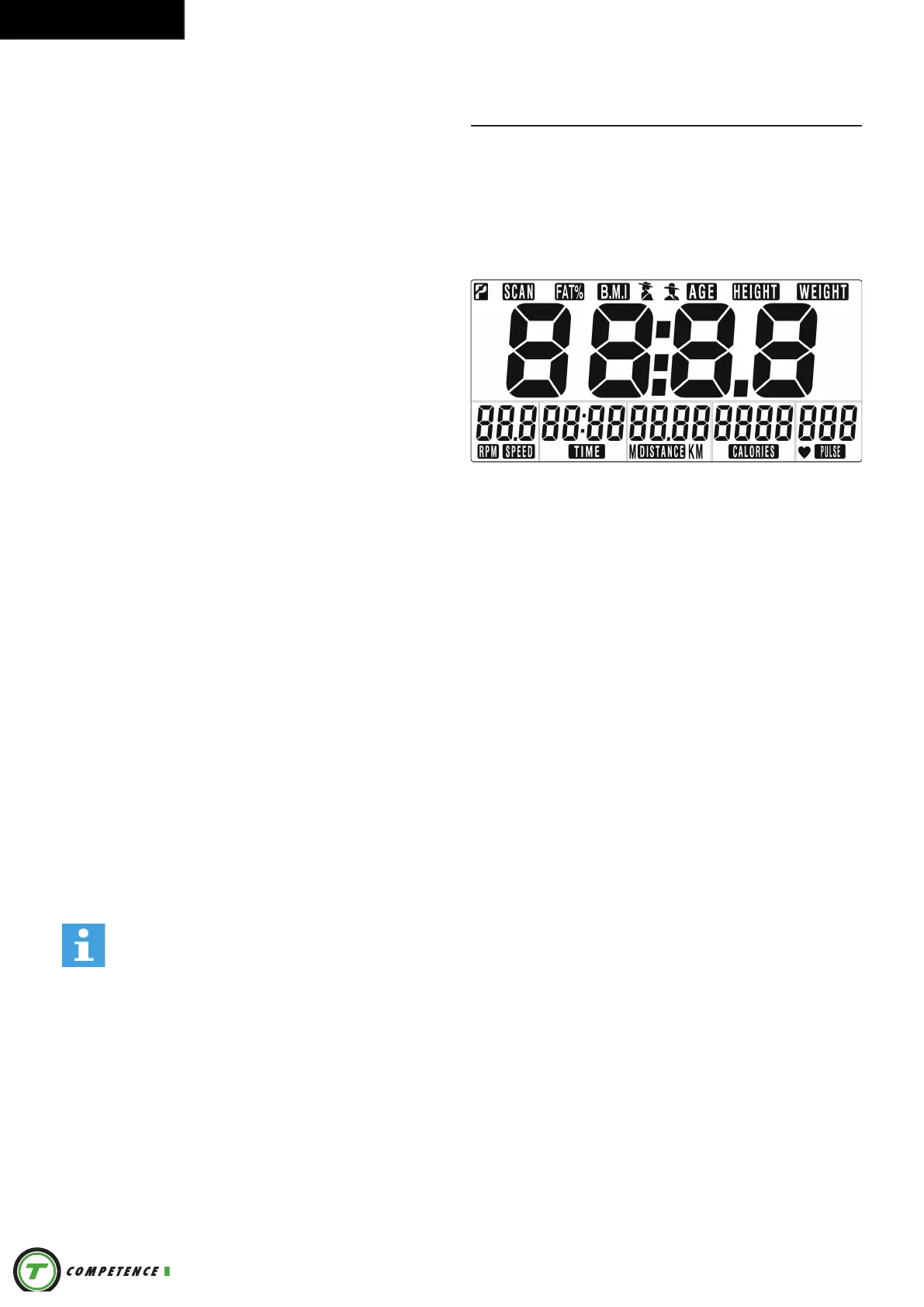
LCD will display all segments as Drawing.
Power off
Without any signal being transmitted into the
monitor for 4 minutes the monitor will enter SLEEP
mode automatically.
User Profile setting
- Use UP or DOWN (Dail) to set SEX, HEIGHT,
WEIGHT and AGE.
- Press MODE/ENTER to confirm.
Workout setting
- Press MODE/ ENTER key to select the function
of TIME, DISTANCE, CALORIES, and PULSE.
Use UP or DOWN (DAIL) for setting and press
MODE/ENTER key for confirmation.
- For instance the time set-up, when the time
value is blinking, you can use UP and DOWN
(DAIL) to adjust the number. Press MODE/
ENTER key for confirmation and skip to next
set-up. The set-up of DISTANCE, CALORIES
and PULSE is the same as TIME set-up.
- Once the workout begins and the console picks
up the exercise signal, the value of SPEED/
RPM, TIME, DST and CAL will count up on the
display.
Recovery
- The RECOVERY key will only be valid if pulse is
detected.
- TIME will show „0:60“ (seconds) and counts
down to 0.


 To Next Page