EasyManua.ls Logo

Turbolock TL111 PRO - User Manual

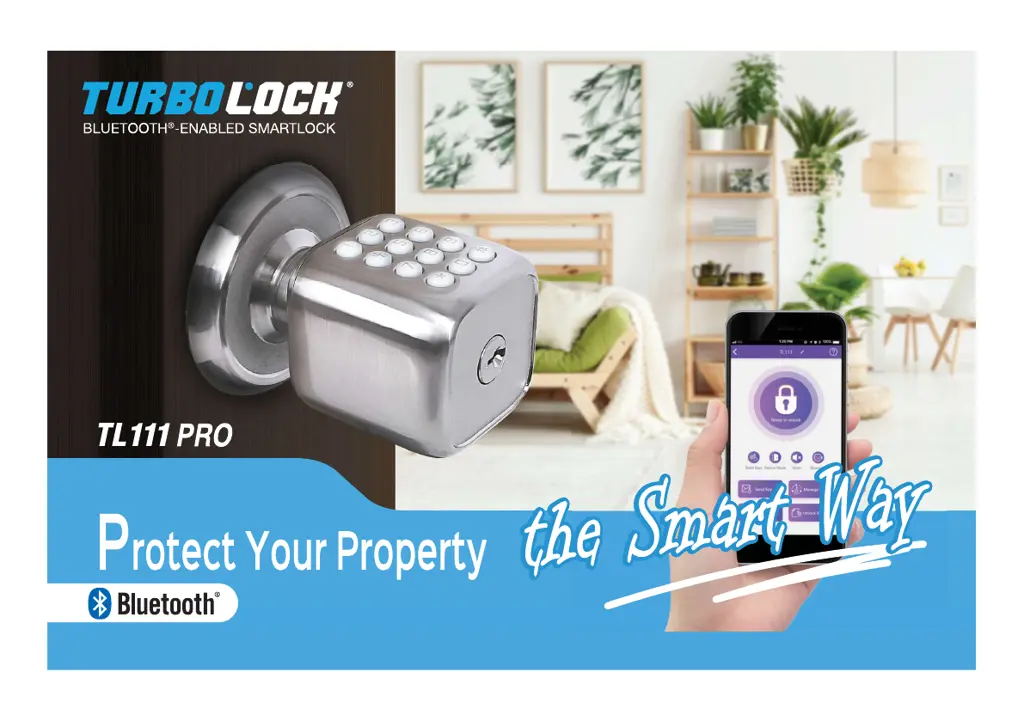
Turbolock TL111 PRO
36 pages
Print Icon
To Next Page IconTo Next Page
Loading...
,VVPVVVIPVPVPVIPPP3VVI
VVPVPV9V

Questions and Answers

  • P
    Patricia MitchellAug 8, 2025
    What to do if my Turbolock Locks doesn't work?
    • D
      Denise CherryAug 8, 2025
      If your Turbolock lock isn't working, first ensure the batteries are properly installed; remove and reinstall them if needed. If that doesn't work, the batteries may be dead. Replace them to restore power. You can also use the emergency power port to power the lock temporarily and open the door, then replace the batteries.
  • A
    Ashlee CainAug 12, 2025
    Why can't I open the door with my Turbolock Locks?
    • G
      George GravesAug 13, 2025
      There are a couple of reasons why you might not be able to open the door with your Turbolock. It could be that too much time has passed; turn the handle to open the door while the lock’s backlight is still on. Alternatively, your access may be restricted. If you received a key from the lock’s admin, your access may be restricted to certain times of the day. Check with your admin for details.
  • T
    Troy WhiteAug 17, 2025
    What to do if I entered the wrong password multiple times on my Turbolock Locks?
    • R
      Regina LarsenAug 17, 2025
      If you enter the wrong password five times in a row on your Turbolock, the lock will enter a 5-minute lockout period as a security measure. Wait 5 minutes and try again. Alternatively, you can use the physical key to open the lock directly, overriding the security lockout.
  • T
    Timothy MeadowsAug 21, 2025
    Why is my Turbolock Locks beeping multiple times?
    • B
      baxterjohnAug 21, 2025
      If your Turbolock is beeping multiple times, it's likely a low battery warning. Install new batteries as soon as possible after receiving the first warning, which consists of three sets of triple beeps.
  • T
    tinamckayAug 26, 2025
    How to fix a jammed Turbolock Locks or a door that doesn’t close?
    • L
      luke60Aug 26, 2025
      If your Turbolock is jamming or the door isn’t closing properly, it could be due to a couple of reasons. First, the latch size might be wrong. Disassemble the lock and check the latch assembly. If retrofitting, compare the latch length and adjust as needed. If installed on a new door, adjust the latch and/or drill into the door to fit the latch as needed. Second, the strike plate and latch might not be correctly aligned. Open the door and check their alignment, adjusting as necessary.
  • K
    Kimberly MorganAug 30, 2025
    What to do if I cannot generate temporary keypad passcodes from the Turbolock Locks app?
    • D
      David RamirezAug 30, 2025
      If you can't generate temporary keypad passcodes from the Turbolock app, especially for the first time, ensure the app is connected and tap “Reset Temp Password” on the app home screen, then proceed to generate temporary passcodes. If you've reached the 300 temporary keypad passcodes limit, new passwords cannot be generated. Make sure the app is still connected, and tap “Reset Temp Password” on the app home screen again to generate new passcodes.
  • M
    Michele QuinnSep 3, 2025
    What to do if I forgot my Turbolock Locks codes?
    • J
      Judy MorrisSep 3, 2025
      If you've forgotten your Turbolock codes, you'll need to perform a reset to erase all passwords. To do this, you must have access to the back of the door. After the reset, record the new passwords in a secure location.

Turbolock TL111 PRO Specifications

General IconGeneral
MaterialZinc Alloy
FinishSatin Nickel
ConnectivityBluetooth
Power SourceBattery
Battery LifeUp to 1 Year
Keyless EntryYes
Remote AccessNo
User CodesUp to 20
Key OverrideYes
Weather ResistanceYes
Operating Temperature-4°F to 140°F
BacksetAdjustable 2-3/8" or 2-3/4" (60mm or 70mm)

Related product manuals