1-4
Pre-installation
Copyright © 2021 ves.co | All Rights Reserved
Unpacking
General
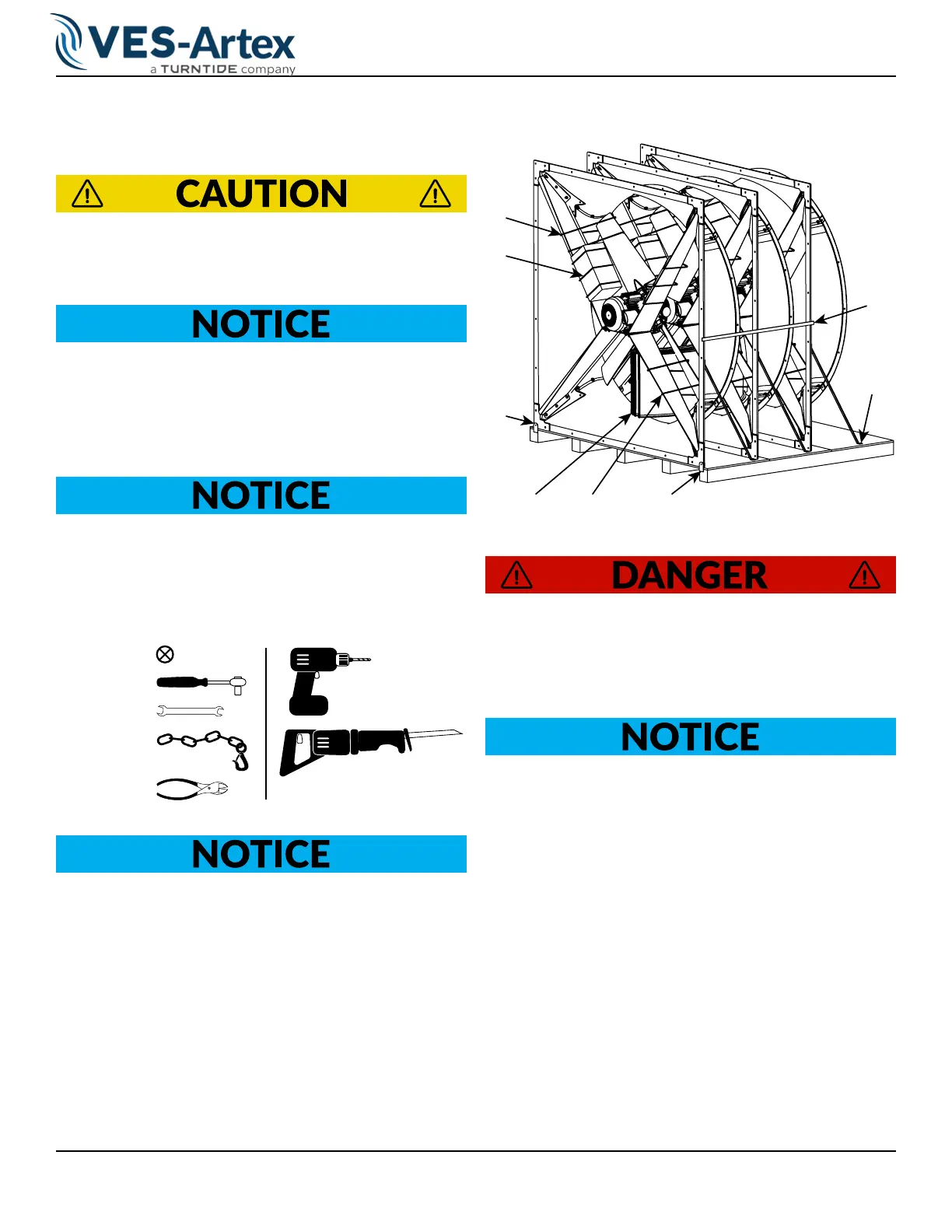
Do not remove zip es (A) during transportaon and
installaon to prevent equipment damage or personal
injury. See
Figure 1-1.
Once a VES-Artex product is received, inspect the
product for any damage. It is recommended that in-
specon occurs immediately, especially if the product
is being installed at a later period of me. If any dam-
age is detected, le a claim with the freight carrier.
Use VES-Artex recommended handling techniques
when moving VES-Artex products. Products damaged
during installaon are not covered under warranty.
Recommended Tools
Bit (#2)
13mm
13mm
2000 lb. cap.
Heavy Liing Equipment
Do not begin disassembling the product unl the
building is ready for fan installaon.
1. Start by removing zip ties and stabilizing packing
material (B & E) using cutting pliers. See
Figure 1-1.
Retain packing material for future installation.
2. Keep support brackets (C & D) attached to the fan.
3. Remove the horizontal bracket (F) on each fan.
4. Separate fans individually with a reciprocating saw,
by cutting behind the lower angled bracket (D) and
through the wooden pallet.
A
B
C
C
D
E
A
F
Figure 1-1. Pallet Unpacking
Verify liing equipment is safe prior to fan handling.
5. Once a fan has been separated move the fan to
the installation location. See the 2D barn layouts
to nd these locations provided separately.
Be sure zip es (A) are removed prior to operaon to
prevent equipment damage. See Figure 1-1.
Fan depicted below for demo purposes only.



 To Next Page