7
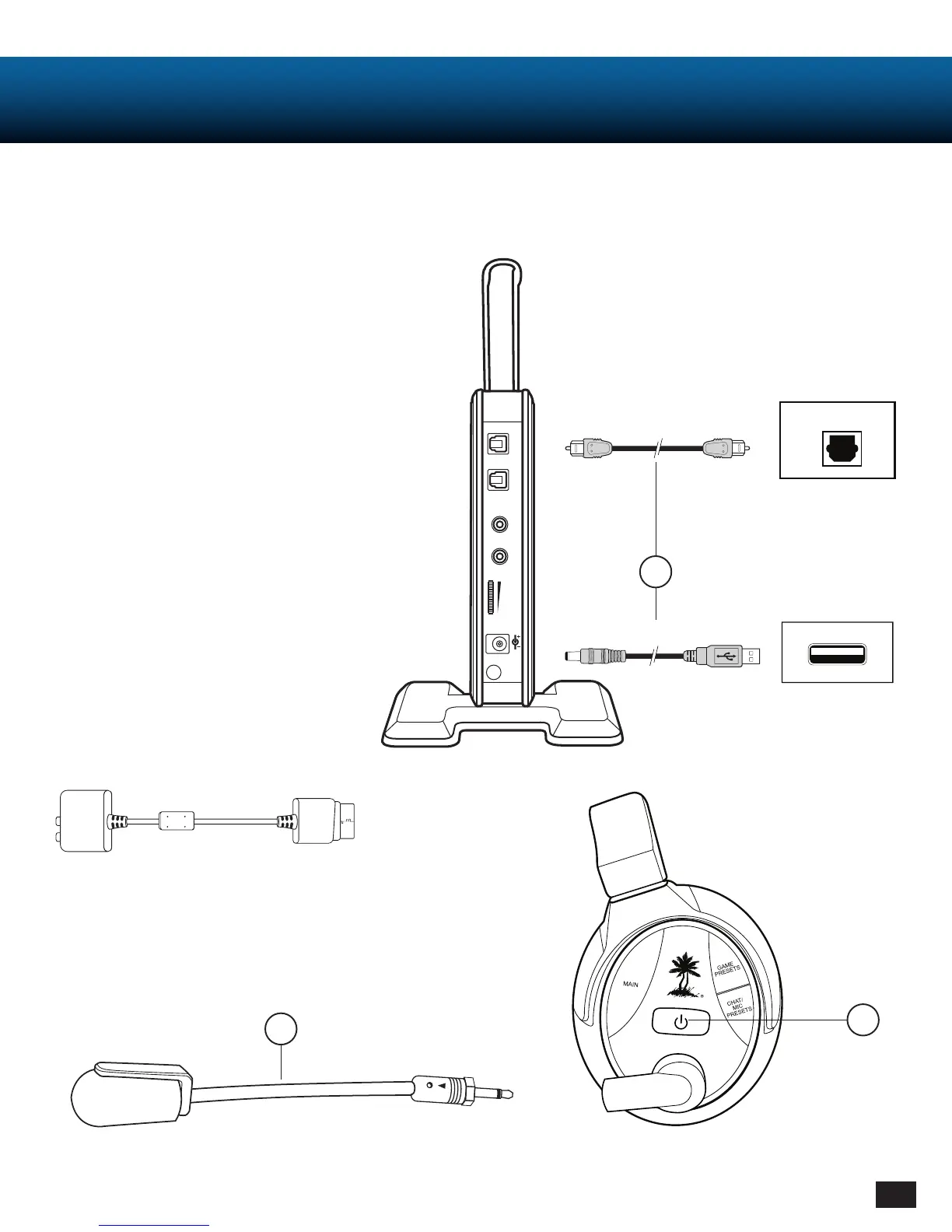
* Original Xbox 360 models require Xbox 360 HDMI
Audio Adapter Cable (sold separately).
USB Transmitter Power Cable
Optical Cable
Setting Up (Connections etc.)
RF Transmitter Set Up
1. Connect optical cable (DIGITAL IN)* and transmitter
power cable (included) to game console.
2. Insert Microphone Boom.
3. Power headset ON.
- Press and hold Power button until LED turns solid.
- Listen for voice prompt, “Powering on”.
2
3
DIGITAL OUT
DIGITAL
IN
OUT
L
LINE IN
LINE IN
VOLUME
DC 5V
R
1
Console
Console
UsB














 To Next Page