5
Elite Pro Headset
Basic Setup
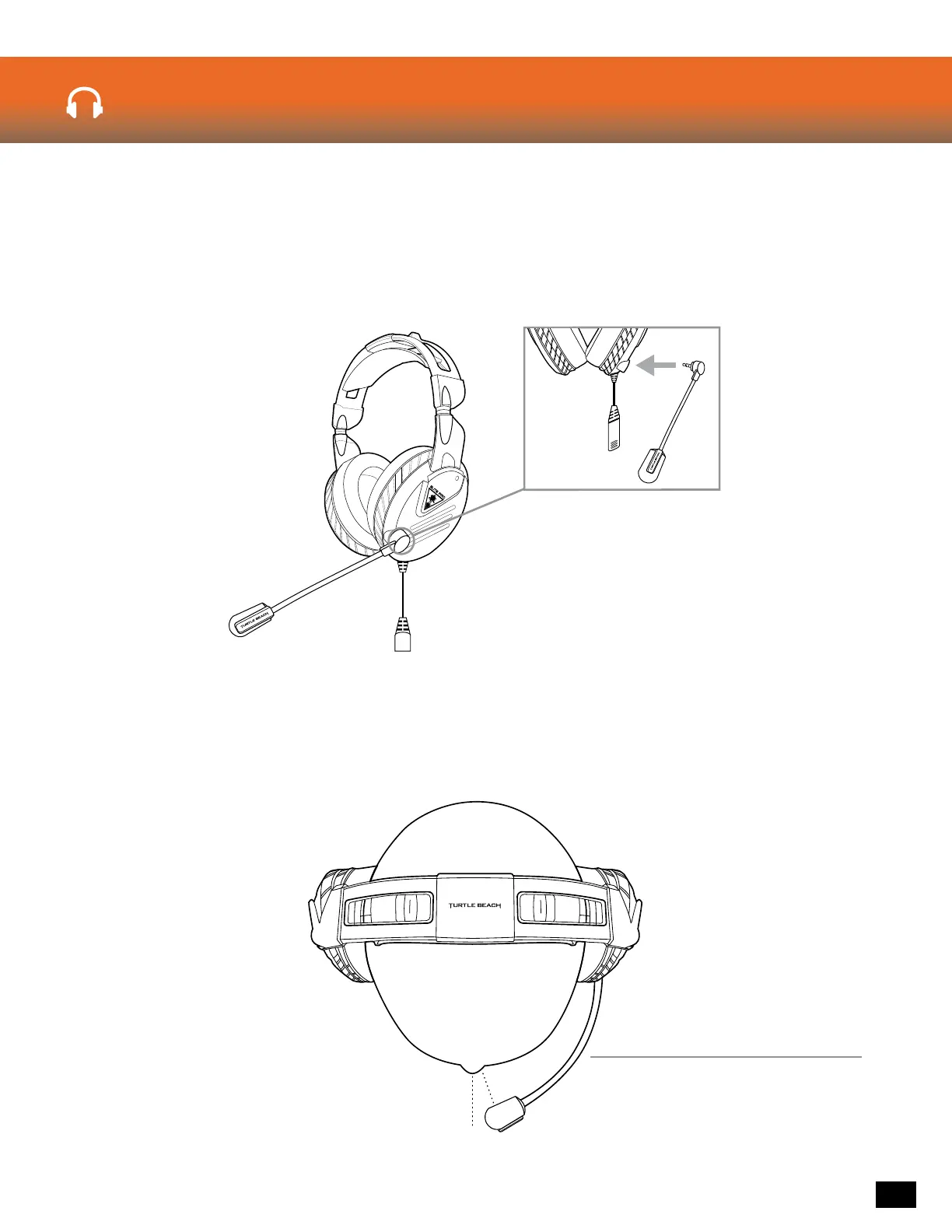
Connect the Elite Pro Microphone into the slot on the left earcup of the Elite Pro Headset. Press rmly
to ensure a solid connection. Once fully inserted, the microphone should be able to rotate easily within
the slot a full 360 degrees.
The exible microphone boom allows for adjustment to user preference, however we suggest that the
microphone is positioned as seen in the diagram below for best performance.
Elite Pro Microphone













 To Next Page