6
Elite Pro Headset
Basic Setup
Note: When removing the Elite Pro 1.3m Audio Cable do not disconnect by pulling on the cable.
Grip the thicker plug section rmly and pull to separate.
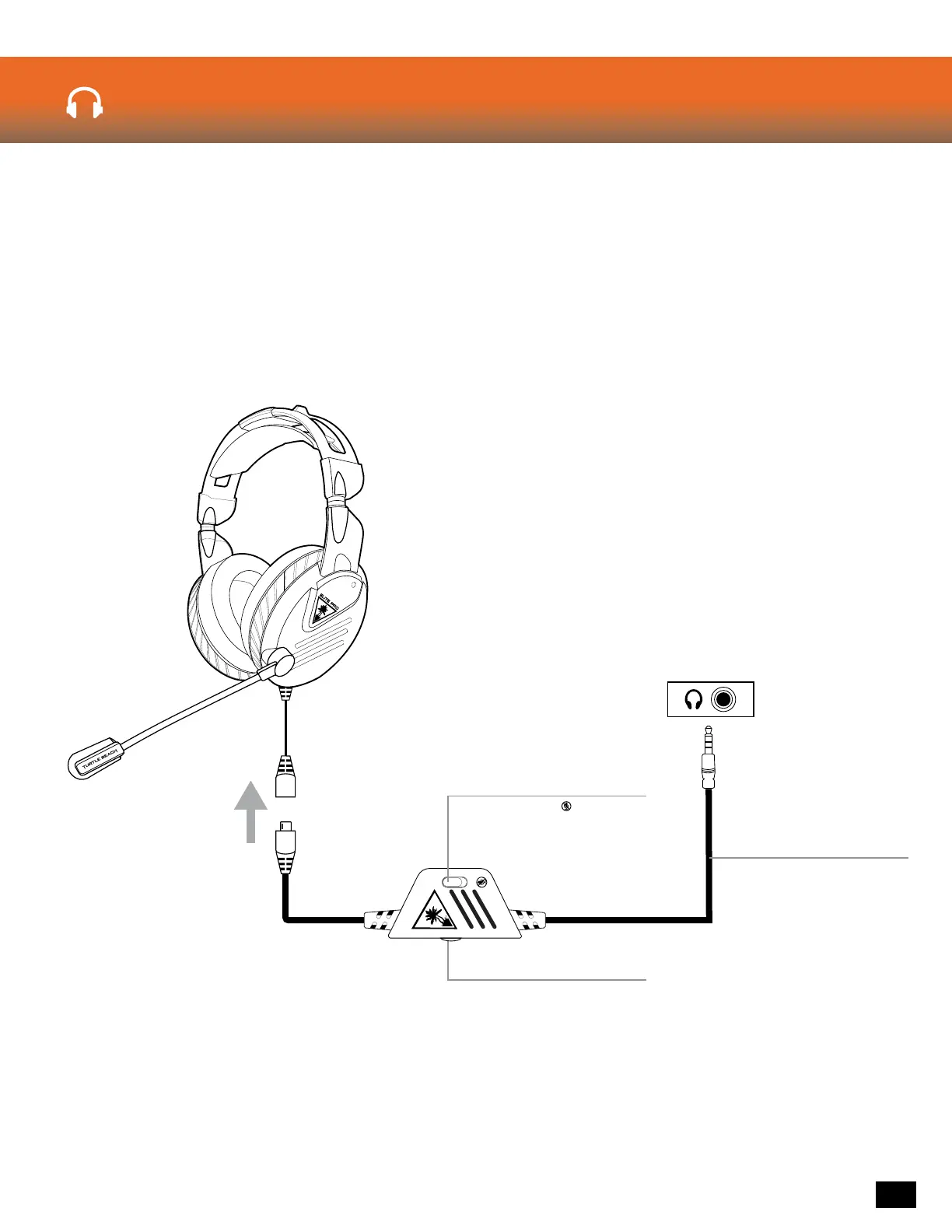
Connect the Elite Pro 1.3m Audio Cable to the short cable hanging from the Left Earcup of the Elite Pro
Headset. Once fully inserted, the Orange stripes on the Elite Pro 1.3m Audio Cable should be visible
through the corresponding slots on the connector.
Elite Pro Audio Cable
Master Volume
Adjusts the volume of the
incoming game &
chat audio.
Mic Mute Switch
Switch to to mute
the microphone.


 To Next Page
 Loading...