7
Menj a tartalomjegyzékhez
Parts and Controls/Součásti a ovládací prvky
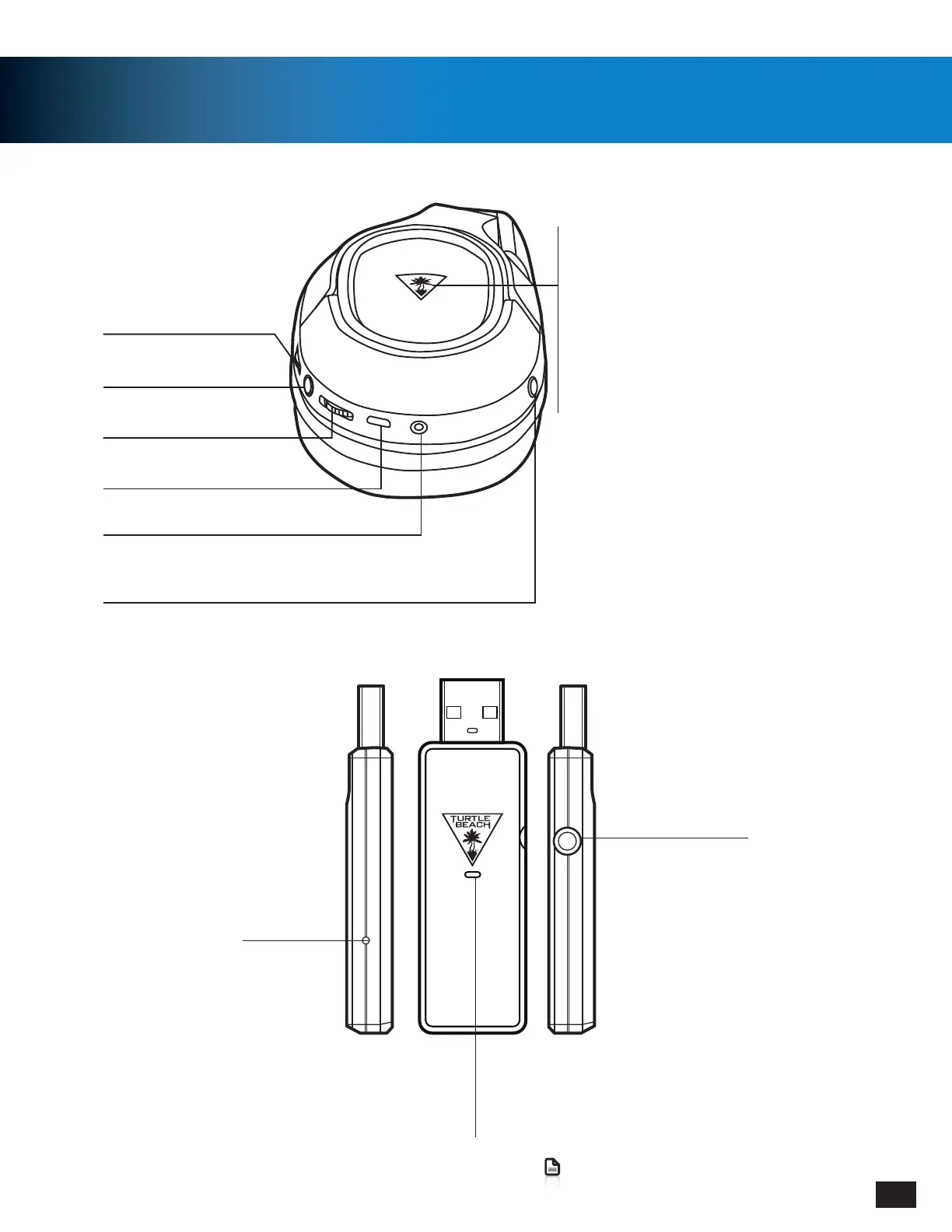
Headset Controls: Right Earcup
Game Volume Control
Mic Mute Button
Press = Mic On/Off
Power Button
Hold (1s) = Power On / Power Off
Power LED
(Battery Status)
Red = Charging
Blue = Charged / In Use
(Pairing Status)
Single Blink = Transmitter Connected
Double Blink = Transmitter not Connected
EQ Preset Button
Chat Volume Control
USB Charging Port
Mobile Connection
Pair Button
Connection Status LED
On [Continuously) = Headset Connected
Pulsing = Headset not connecting
Rapid Flashing = Incorrect audio format (for
correct format, see PS4™ Setup
or PS3™ Setup
Digital Optical Input
Transmitter
Connection Status LED
On [Continuously) = Headset Connected
Pulsing = Headset not connecting
Rapid Flashing = Incorrect audio format (for
correct format, see PS4™ Setup (page 9)
or PS3™ Setup (page 12)
(page 9)
(page 12)
LED indikátor připojení
Svítí (plynule) = Souprava je připojena
Pulsování = Souprava se nepřipojila
Rychlé blikání = Nesprávný zvukový formát
(správný formát viz Nastavení PS4™ (str. 9)
nebo Nastavení PS3™(str. 12)
LED indikátor pripojenia
Svieti (plynule) = Súprava je pripojená
Pulzovanie = Súprava sa nepripojila
Rýchle blikanie = Nesprávny zvukový formát
(správny formát viď Nastavenie PS4™ (str. 9)
alebo Nastavenie PS3™(str. 12)














 To Next Page