10
Go to Table of Contents
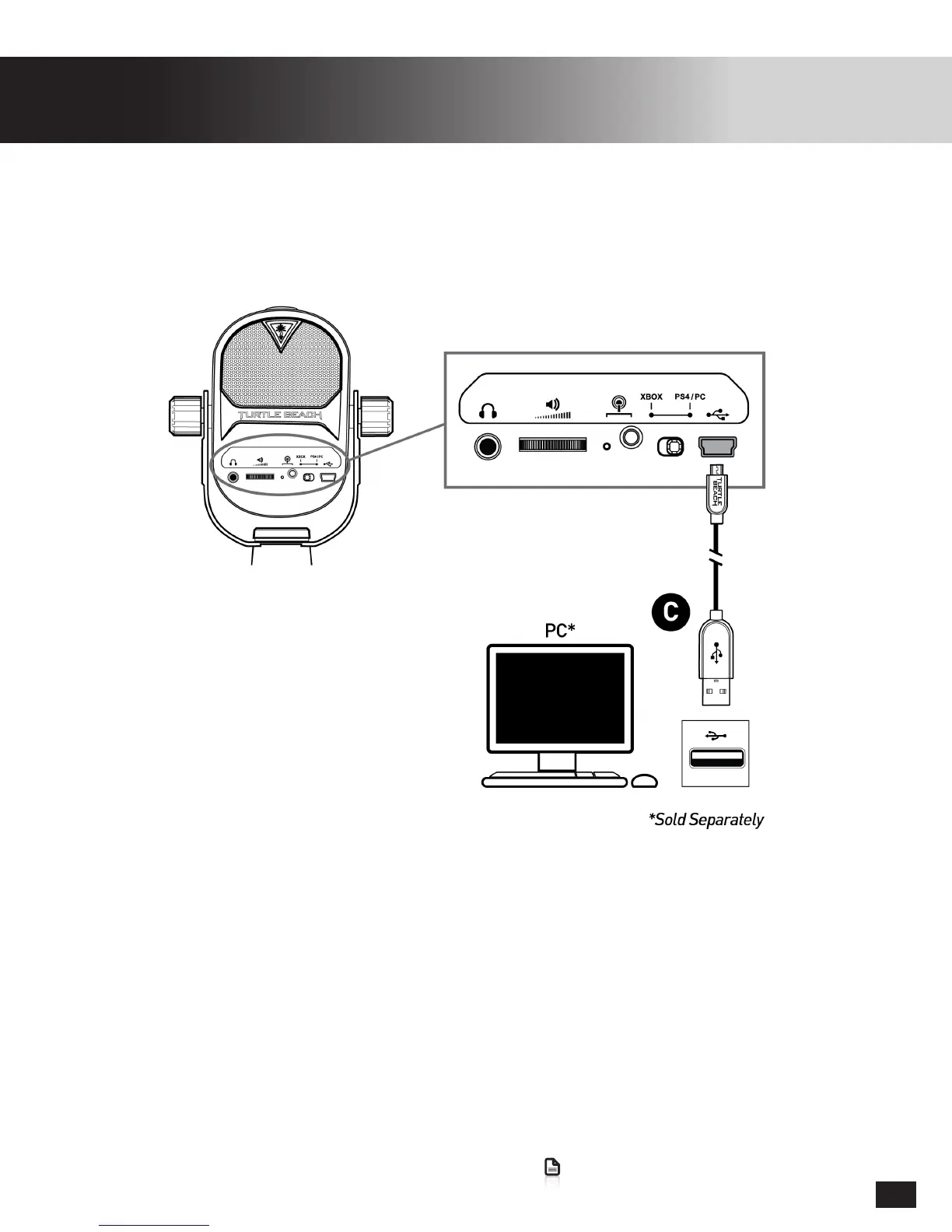
PC Setup
Twitch Streaming
YouTube Streaming
Twitch.tv has a guide to streaming from your PC available: click here
YouTubehasaguidetostreamingfromyourPCavailable:click here
1. SetConsoleModeSwitchtoPS4/PC
2. Right-Click the Speaker Icon in the Windows Taskbar
3. Select Playback Devices
4. Set the Turtle Beach Stream Mic as the default Playback and Recording Device
Note:
If there is no headphone connected to the Stream Mic, it will display only as a Recording Device


 To Next Page