12
Go to Table of Contents
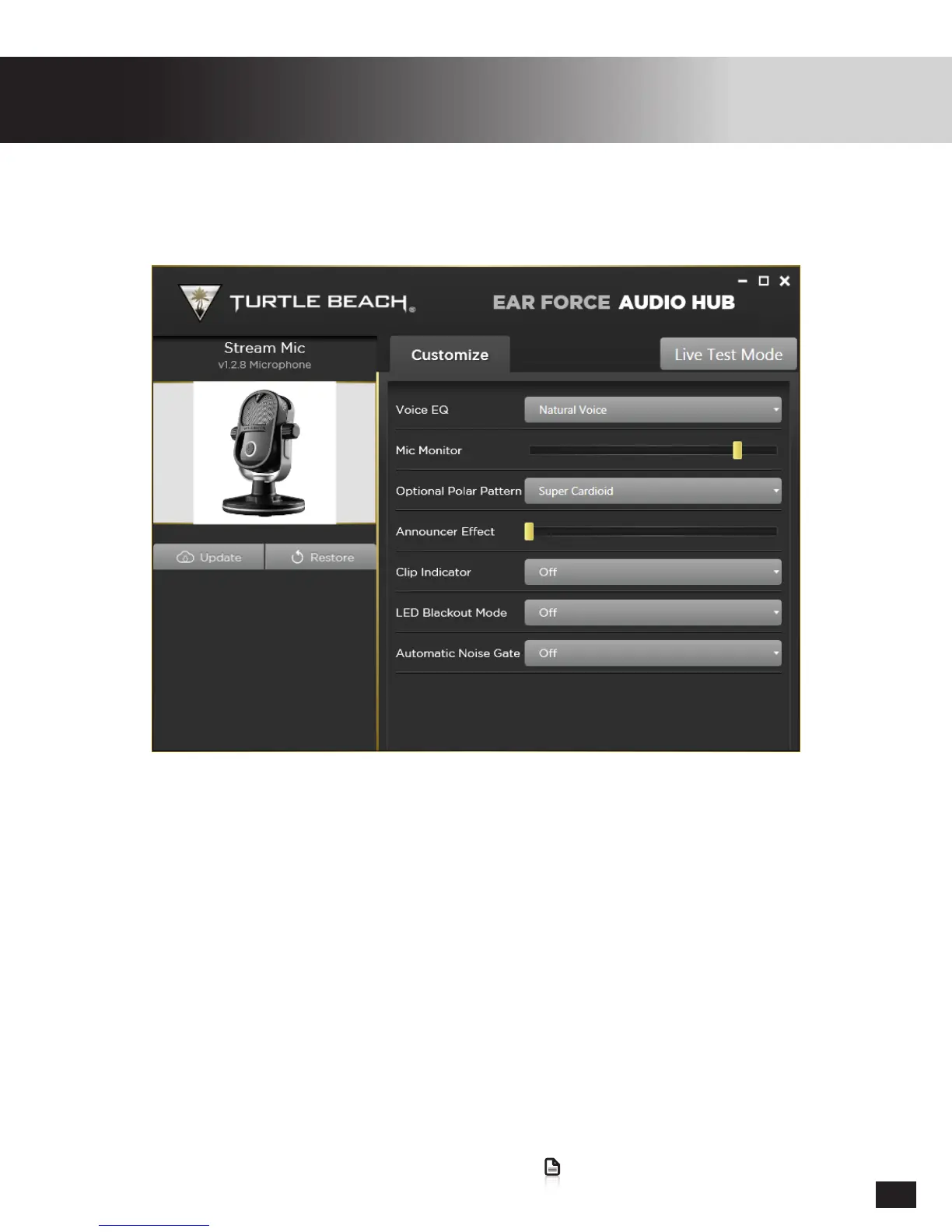
Ear Force Audio Hub Customization
Update
AlwayschecktomakesureyouarerunningthelatestversionofthermwareonyourStreamMic.
Live Test Mode
This mode temporarily increases the Mic Monitor Level so that you can better hear the effects of the
different Polar Pattern, Voice EQ, Reverb, and Noise Gate settings.
Voice EQ
Adjust this to change the tone of your voice.
• Natural Voice
• Deep Voice
• Deep and Bright Voice
• Mid-Range Voice
Optional Polar Pattern
SelectoneofthesepolarpatternstoaddafthpatterntoyourStreamMic.TheFrontLEDwillturn
White when this optional pattern is active.
1. DownloadtheEarForceAudioHubfromtheSupport/Downloadstabat
turtlebeach.com/streammic
2. ConnecttheStreamMictoyourPC/MacviaUSBinXboxOneMode.Avoidusinga
USB Hub if possible.


 To Next Page