6
Go to Table of Contents
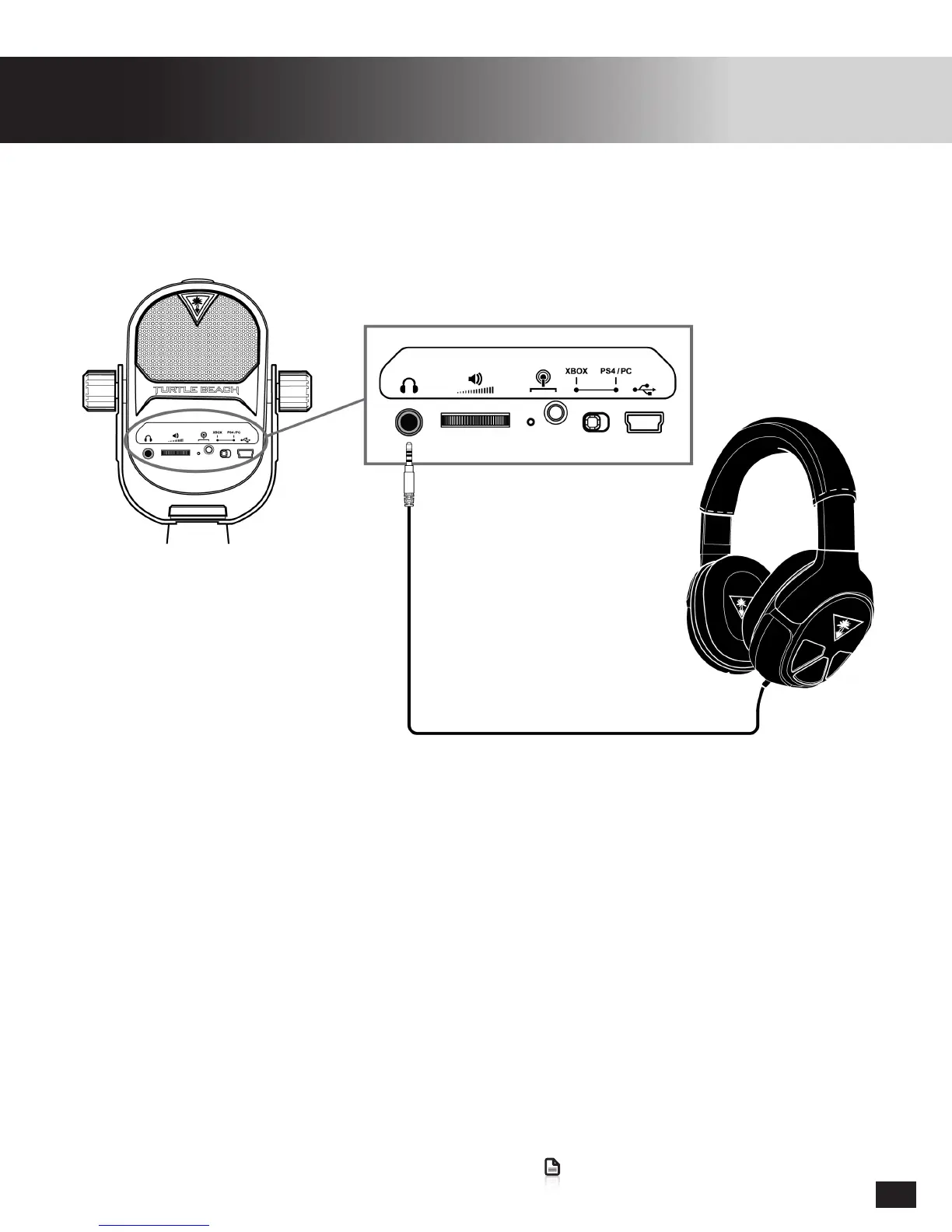
Connect your Headphones (Optional)
WhenconnectedtoPS4/PC/MactheStreamMicwillidentifyitselfasbothaPlayback&Recording
Device when headphones are connected to the Stream Mic. When no headphones are connected it
will only display as a recording device. As a result it may be necessary to re-assign audio devices after
connecting/disconnectingheadphonesfromtheStreamMic.
Connect your favorite headphones with 3.5mm connector, to listen to Game, Chat, and Mic Monitor
audiothroughtheTurtleBeachStreamMiconXboxOne/PS4/PC/Mac.


 To Next Page