8
Go to Table of Contents
Xbox One Setup
Twitch Streaming
Twitch.tv has a guide to streaming from your Xbox One available: click here
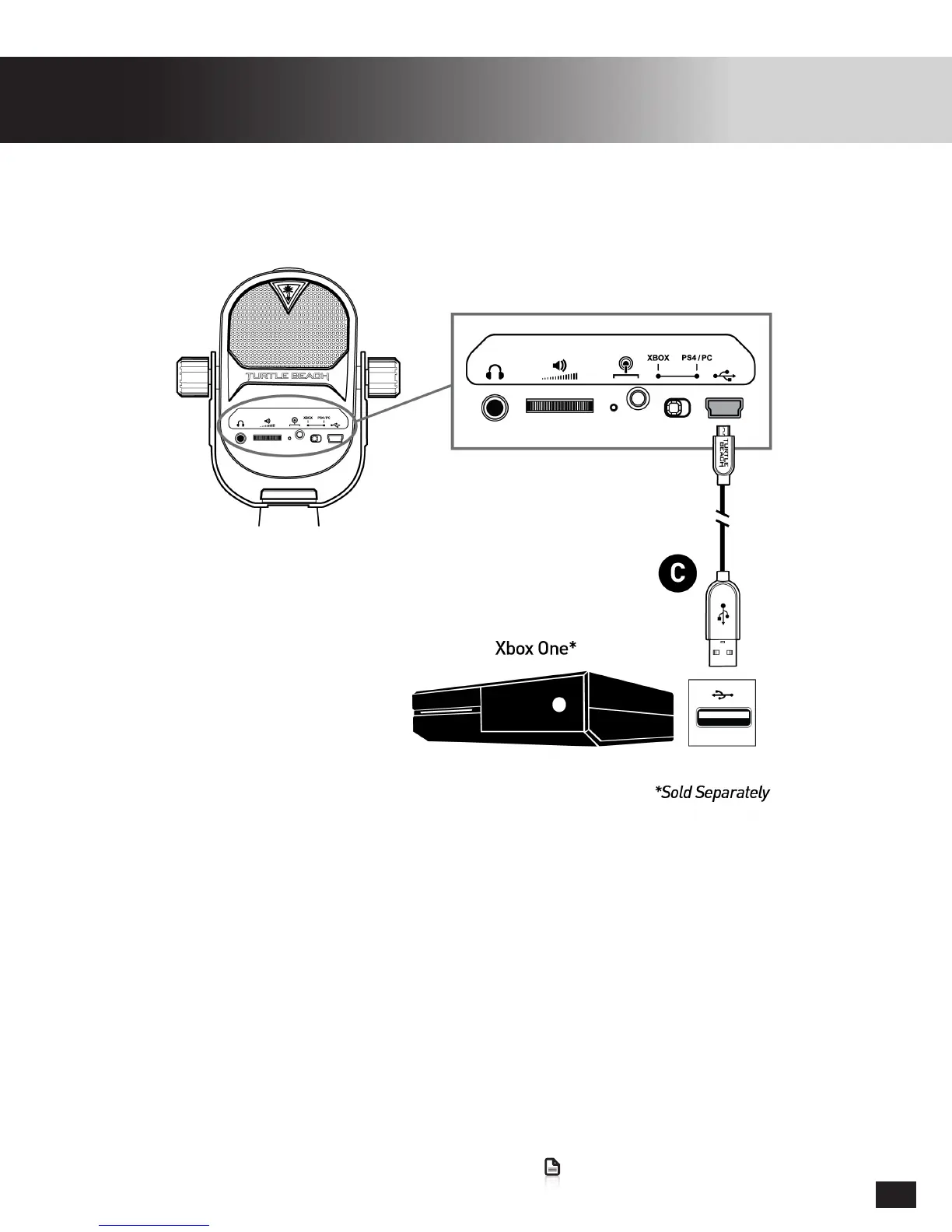
1. Set Console Mode Switch to Xbox One
2. MakesuretheXboxOneisfullypoweredonandsignedintoaXboxLiveprolebefore
connecting the Turtle Beach Stream Mic.
TheTurtleBeachStreamMiccanbeusedforallofyourgaming/chat/streamingaudioneedsonthe
Xbox One. Only one Audio device can be assigned to a Xbox One Account at a time, it is important that
you do not connect multiple USB Audio devices at the same time.
OncetheTurtleBeachStreamMicisconnected,itwillbeusedasthedefaultPlayback/Recording
deviceforallgames/apps.ThismeansthatwhenstreamingfromTwitch/YoutubetheStreamMicwill
be automatically used as long as no other audio devices are connected.


 To Next Page