PS3MicrophoneSettings
1.GotoPS3Settings(Weshouldincludescreencapturesforthese)
• Choose“AccessorySettings”(screencaptures)
• Choose“Input/OutputDevice”(TangoBluetoothOFF)
• Choose“TurtleBeachTango”
2. Adjustmicrophonevolumelevel
UsingyourTangoHeadsetonXBOX360
(Usethisheaderonrelatedpagesinthelayout)
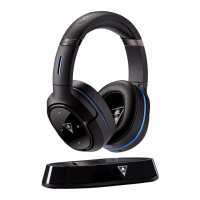
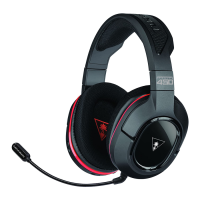
YourTurtleBeachTangoheadphonesaredesignedtoworkonXBOX360GameConsoles(Versions?).In
ordertogetidealfunctionalityfromyourheadphones,followthedirectionsbelow.
XBOXWirelessSettings
1. TurnonXBOX360Controller(NeedLine
Artforthis)andplugintheXBA(turned
off)totheheadsetjack.
2. PressandholdXBAbuttonforfour(4)secondsuntiltheLEDbeginstoblink.
3. YouarenowinPairingmode.
4. PressandholdBluetoothMFBforfive(5)seconds.LEDwillchange
fromBlueto
Red.
5. Releasethebutton.Voiceprompt“BluetoothPaired.”
• Choose“SoundSettings”(screencaptures)
o Choose“AudioOutputSettings”(TangoBluetooth OFF)
i. Choose“OpticalDigital”
1. Choose“DolbyDigital5.1Ch.”










 To Next Page